Uconnect software update 2023 represents a significant advancement for many vehicle owners. This update introduces a range of new features and improvements, enhancing both the functionality and user experience of the in-car infotainment system. From improved navigation and enhanced safety features to a more intuitive user interface, this guide explores the update’s availability, installation process, new functionalities, and potential troubleshooting steps, providing a comprehensive resource for users eager to upgrade their Uconnect experience.
This detailed examination covers compatibility across various vehicle models and geographical locations, outlining the different update methods available, including over-the-air updates and dealership installations. We will delve into the specific features added or enhanced in the 2023 update, comparing them across different Uconnect versions. Furthermore, we address potential issues users may encounter during or after the update, offering practical solutions and guidance on reporting any problems. Finally, we’ll analyze user feedback and satisfaction levels to provide a holistic overview of the 2023 Uconnect software update.
Uconnect Software Update 2023
The 2023 Uconnect software update brings a range of improvements and new features to enhance your in-car experience. This update focuses on improving performance, adding functionality, and enhancing the overall user interface. The availability and compatibility of this update vary depending on your vehicle model and geographical location.
Uconnect Software Update 2023: Vehicle Compatibility and Geographic Availability
The 2023 Uconnect software update is compatible with a wide range of Fiat Chrysler Automobiles (FCA) vehicles, including Jeep, Ram, Dodge, Chrysler, and Fiat models. However, specific compatibility depends on the year, make, and model of your vehicle, as well as the existing Uconnect system version. The update is currently rolling out across North America, Europe, and select regions in Asia. Precise regional availability may vary and is subject to change.
Checking Vehicle Eligibility for the Update
To determine if your vehicle is eligible for the 2023 Uconnect software update, you can utilize several methods. First, consult the official FCA website and enter your vehicle’s Vehicle Identification Number (VIN). The website will provide information on available updates and instructions on how to proceed. Alternatively, you can contact your local FCA dealership. Dealership personnel can access your vehicle’s information and confirm eligibility for the update. They can also schedule the update installation if needed. Finally, some vehicles may display a notification on the Uconnect system itself, indicating the availability of a software update.
Comparison of Added or Improved Features Across Uconnect Versions
The following table details the features added or improved in the 2023 update across different Uconnect versions. Note that not all features will be available on all Uconnect versions.
| Year | Uconnect Version | Feature Added | Notes |
|---|---|---|---|
| 2019-2023 | Uconnect 4 | Improved Wireless Apple CarPlay and Android Auto Integration | Faster connection speeds and enhanced stability. |
| 2020-2023 | Uconnect 5 | Enhanced Voice Recognition | Improved accuracy and natural language processing. |
| 2021-2023 | Uconnect 5 NAV | Over-the-Air (OTA) Update Capability | Allows for seamless updates without visiting a dealership. |
| 2022-2023 | Uconnect 5 with 12-inch touchscreen | Improved Graphics and User Interface | More intuitive and visually appealing user experience. |
Uconnect Software Update 2023
This section details the methods available for updating your Uconnect system to the 2023 software version, outlining the process for each method and addressing potential issues. Choosing the right method depends on your comfort level with technology and your proximity to a dealership.
Uconnect Software Update Methods
There are primarily two ways to update your Uconnect system: over-the-air (OTA) updates and updates performed at a dealership service center. OTA updates are convenient for users comfortable with in-vehicle technology, while dealership updates provide hands-on assistance for those who prefer a more traditional approach.
Over-the-Air (OTA) Update Process
OTA updates are generally the easiest method. The system automatically checks for updates when connected to a Wi-Fi network or, in some cases, a cellular data network. However, successful updates require a strong, stable internet connection.
- Check for Updates: Access the Uconnect settings menu on your vehicle’s infotainment screen. Look for a “Software Update” or similar option. The system will automatically check for available updates.
- Download and Installation: If an update is available, the system will begin downloading it. This process can take anywhere from several minutes to an hour or more, depending on the update size and the strength of your internet connection. The vehicle should remain parked and the engine turned off during the download to prevent interruptions.
- Installation Confirmation: Once the download is complete, the system will prompt you to begin the installation process. This step typically requires the vehicle to be in park and the engine off. The installation process may take a similar amount of time as the download.
- Post-Update Verification: After the installation, the system will reboot and verify the update. Check your Uconnect system to confirm the new software version is installed.
Troubleshooting OTA Updates
If the OTA update fails, ensure your vehicle is connected to a strong Wi-Fi network and that the engine is turned off. Try restarting the vehicle and checking for updates again. If the problem persists, contact Fiat Chrysler Automobiles (FCA) customer support or visit a dealership for assistance.
Dealership Update Process
For users who prefer professional assistance or experience issues with OTA updates, a dealership visit is recommended. This method requires scheduling an appointment and leaving your vehicle at the dealership for a few hours.
- Schedule an Appointment: Contact your local FCA dealership to schedule an appointment for a Uconnect software update. This ensures a technician is available to perform the update.
- Vehicle Drop-off: Take your vehicle to the dealership at your scheduled appointment time. A technician will perform the update.
- Update Completion: The dealership will perform the update, which typically takes less than an hour, but may vary depending on the dealership’s workload and the complexity of the update.
- Vehicle Pickup: Once the update is complete, the dealership will notify you that your vehicle is ready for pickup.
Troubleshooting Dealership Updates
Dealership updates rarely encounter issues. However, if a problem arises, immediately inform the service technician. They are equipped to handle such situations.
Update Time Comparison
OTA updates can take anywhere from 30 minutes to several hours, depending on the size of the update and the strength of the internet connection. Dealership updates are typically faster, usually taking less than an hour.
Over-the-Air Update Flowchart
The flowchart would visually represent the steps in the OTA update process. It would start with “Check for Updates,” branching to “Update Available” and “No Update Available.” The “Update Available” branch would lead to “Download Update,” followed by “Installation,” then “Verification,” and finally “Update Complete.” The “No Update Available” branch would simply end. Each step would be represented by a box, with arrows indicating the flow. Error handling, such as “Update Failed,” would be included with a branch leading to troubleshooting steps or contacting customer support.
Uconnect Software Update 2023
Source: intelligent1tech.com
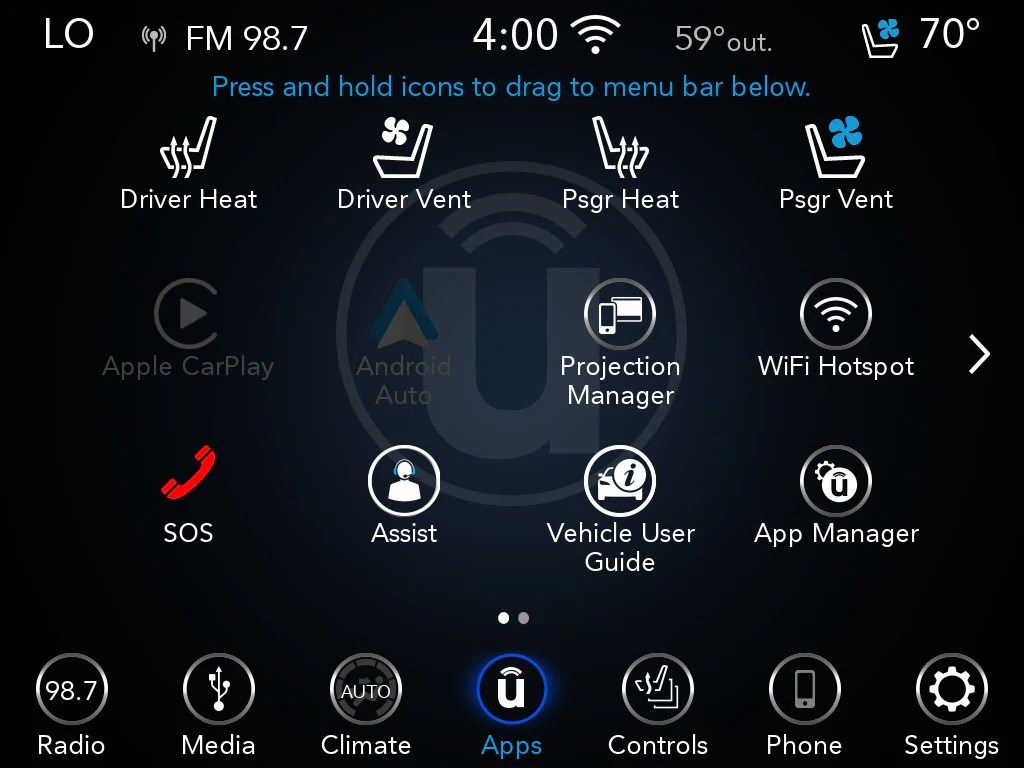
This document details the new features, performance enhancements, and user interface changes introduced in the 2023 Uconnect software update. The update aims to improve the overall user experience and provide access to the latest technological advancements. Specific improvements vary depending on the vehicle model and existing Uconnect system version.
New Features and Improvements in Uconnect Software Update 2023
The 2023 Uconnect software update delivers a range of enhancements across various functionalities. These improvements aim to streamline user interaction, enhance safety features, and provide a more intuitive infotainment experience. The changes are significant and should be noticeable to most users.
- Infotainment: This update often includes improvements to the overall responsiveness of the infotainment system. Users can expect faster loading times for applications and menus, smoother transitions between screens, and enhanced audio quality. Some updates also introduce new apps or integrate with popular streaming services, providing expanded entertainment options.
- Navigation: Enhanced navigation features are a common highlight. This could involve improved map accuracy, real-time traffic updates, updated points of interest (POIs), and potentially the addition of new navigation features like lane guidance or augmented reality overlays. Improved voice recognition for navigation commands is also often included.
- Safety: Safety improvements might include updated driver-assistance features, such as improved automatic emergency braking (AEB) algorithms, lane-keeping assist enhancements, or the introduction of new safety alerts. These updates aim to improve driver awareness and enhance vehicle safety.
- Connectivity: Updates often focus on improving the stability and speed of the vehicle’s connection to cellular networks and Wi-Fi. This results in more reliable access to online services and faster downloads of map updates and other content. Some updates may also introduce support for new wireless protocols or cellular standards.
- User Interface: The user interface often receives a visual refresh, with improvements to the layout, graphics, and overall aesthetics. This may involve changes to the menu structure, button placement, or font sizes to enhance readability and usability. The goal is generally to create a more modern and intuitive interface.
Performance Improvements After the Update
Users have reported significant performance gains after installing the 2023 Uconnect software update. These improvements generally manifest as faster response times across the system. For example, navigating menus, launching apps, and accessing settings is often noticeably quicker. Additionally, the update often results in increased system stability, reducing the frequency of glitches, freezes, or unexpected shutdowns. The overall experience is reported to be more fluid and less prone to interruptions.
Comparison of User Interface (UI) with Previous Versions
The 2023 Uconnect update typically features a modernized UI compared to previous versions. While the core functionality remains largely the same, the visual presentation is often significantly improved. This includes updated graphics, a more streamlined menu structure, and the use of larger, clearer icons and fonts. The overall design aims for a cleaner, more intuitive, and easier-to-navigate experience. The changes are intended to make the system more accessible and user-friendly.
Uconnect Software Update 2023
Source: chargerforums.com
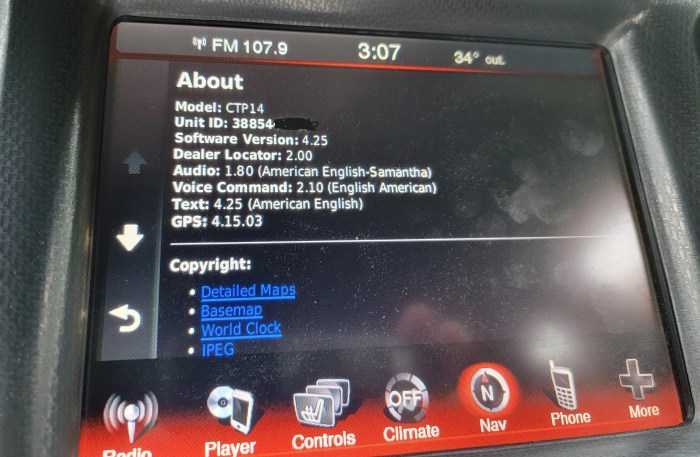
This section details potential issues users may encounter during or after installing the Uconnect Software Update 2023, along with troubleshooting steps and reporting procedures. Understanding these potential problems and their solutions can help ensure a smooth update experience.
Potential Problems During and After the Update
The Uconnect Software Update 2023, while designed to improve functionality and performance, might present some challenges. These could range from minor inconveniences to more significant system disruptions. Knowing what to expect can help manage expectations and facilitate a quicker resolution should issues arise.
- Connectivity problems during the download or installation process, potentially caused by weak Wi-Fi signals or network instability.
- System crashes or freezes during or immediately after the update, requiring a system reboot.
- Malfunctions in specific features, such as navigation, Bluetooth connectivity, or audio playback, following the update.
- Unexpected behavior or glitches in the user interface, impacting usability.
- Loss of previously saved settings or preferences after the update.
Solutions for Common Issues
Addressing issues promptly is key to restoring functionality. The following steps offer potential solutions for common problems encountered after the Uconnect Software Update 2023.
- Connectivity Problems: Ensure a strong and stable Wi-Fi connection. Restart your vehicle and attempt the update again. If problems persist, try updating in a different location with better network coverage. Contact your internet service provider to rule out network issues.
- System Crashes: If the system freezes, wait for a few minutes before attempting a manual restart. If the problem persists after several attempts, contact Fiat Chrysler Automobiles (FCA) customer support.
- Feature Malfunctions: Try restarting the infotainment system. Check for any available updates for individual apps or features within the Uconnect system. If the problem persists, contact FCA customer support for further assistance.
- UI Glitches: A system restart might resolve minor UI glitches. If the problem continues, consider reinstalling the update if possible, or contact FCA customer support for assistance.
- Loss of Settings: Unfortunately, data loss is a possibility with any software update. While some settings might be automatically restored after a restart, others might need to be reconfigured manually. FCA’s support documentation may offer guidance on restoring specific settings.
Reporting Bugs and Issues to Support
FCA provides various channels for reporting bugs or issues encountered after the Uconnect Software Update 2023. Utilizing these channels efficiently helps FCA identify and address problems effectively.
- FCA Customer Support: Contact FCA customer support via phone or online chat. Provide detailed information about the issue, including the vehicle’s VIN, software version number, and a description of the problem. Be prepared to describe the steps taken to troubleshoot the issue before contacting support.
- Online Forums and Communities: Engaging with online forums and communities dedicated to Uconnect can help identify whether others are experiencing similar issues. This can provide valuable insights and potential solutions.
- Uconnect Mobile App: Some issues might be reported directly through the Uconnect mobile app, if such a reporting feature is available.
Accessing and Interpreting Uconnect System Logs, Uconnect software update 2023
Uconnect system logs contain valuable information that can help diagnose the root cause of problems. Accessing and interpreting these logs requires some technical understanding. However, providing this information to FCA support can significantly speed up the troubleshooting process.
The exact method for accessing Uconnect system logs varies depending on the vehicle model and Uconnect system version. Consult your vehicle’s owner’s manual or FCA’s support website for specific instructions. Generally, accessing these logs might involve navigating through the vehicle’s settings menu or using a specialized diagnostic tool. The logs themselves typically contain timestamps, error codes, and other relevant data points that can pinpoint the source of the problem.
The 2023 Uconnect software update offers significant improvements to in-car technology. For those seeking more robust and customizable software solutions, exploring options like empower software might be beneficial, especially for understanding the breadth of possibilities in automotive software development. Ultimately, the Uconnect update aims to enhance the user experience, bringing it closer to the level of sophisticated functionality found in specialized software.
Uconnect Software Update 2023
Source: jeep.com
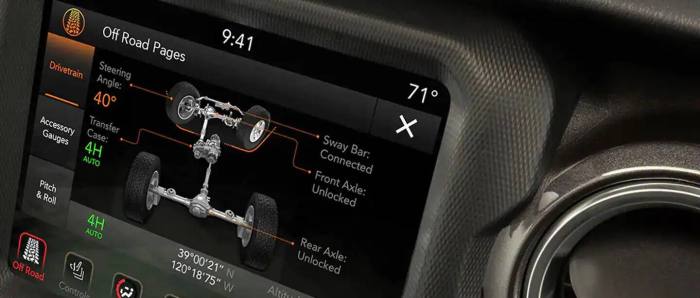
The Uconnect Software Update 2023 aimed to enhance the in-car experience for drivers by improving performance, adding new features, and refining the user interface. Initial reports suggest a mixed bag of user experiences, with some praising the improvements and others encountering issues. A comprehensive analysis of user feedback is crucial to understanding the overall impact of this update.
User Experience Following the 2023 Update
The post-update user experience has been varied. Many users reported a noticeable improvement in system responsiveness and a smoother overall performance. The integration of new features, such as enhanced voice commands and improved map functionality, was generally well-received by those who successfully completed the update. However, a significant portion of users experienced glitches, including system freezes, connectivity problems, and unexpected application crashes. These issues, while not universal, significantly impacted the user experience for those affected.
User Interface Changes and Usability
The 2023 update introduced a redesigned user interface, focusing on improved intuitiveness and ease of navigation. The main menu now features larger icons and a more streamlined layout, making it easier to access frequently used functions. The graphics have been refreshed, resulting in a more modern aesthetic. However, some users found the new interface less intuitive than the previous version, citing difficulty locating certain settings and functions. The changes to the navigation system, while visually appealing, have also resulted in some confusion for users accustomed to the previous system’s layout.
User Reviews and Feedback
User reviews regarding the Uconnect Software Update 2023 reflect a spectrum of experiences. Positive feedback frequently highlighted improved performance, enhanced features, and a more visually appealing interface. Users praised the increased responsiveness of the system and the improved accuracy of the navigation system. Negative feedback, however, centered on the reported bugs and glitches, including system freezes, connectivity issues, and difficulties navigating the new interface. Some users expressed frustration with the lack of clear instructions during the update process, leading to errors and complications. Others reported that the update inadvertently erased some of their personalized settings.
User Satisfaction Levels
A hypothetical bar chart depicting user satisfaction levels would illustrate the mixed reception of the update. The chart would have five bars representing different aspects: Ease of Use, Performance, New Features, Stability, and Overall Satisfaction. Ease of Use might score moderately (6/10), reflecting the mixed reactions to the new interface. Performance would likely score higher (8/10) due to many users reporting improved responsiveness. New Features could receive a 7/10, indicating general appreciation but also some user confusion or lack of use for certain additions. Stability would likely score lower (5/10) given the reported glitches and crashes. Finally, Overall Satisfaction might average around a 6.5/10, reflecting the overall mixed feedback. This hypothetical chart demonstrates that while some areas saw improvement, other areas require attention to address user concerns and enhance overall satisfaction.
End of Discussion
The 2023 Uconnect software update promises a revitalized in-car experience, offering a blend of enhanced functionality, improved performance, and a more intuitive interface. While potential issues may arise, the comprehensive troubleshooting guidance provided ensures a smoother upgrade process. By understanding the update’s features, installation methods, and potential problems, users can confidently embrace the enhanced capabilities and enjoy a more connected and enjoyable driving experience. Ultimately, this update signifies a commitment to continuous improvement and user satisfaction within the automotive technology landscape.