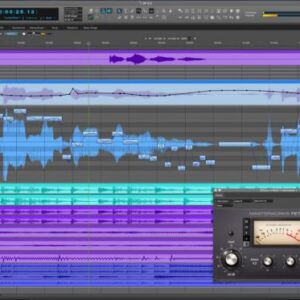
UAD software, from Universal Audio, represents a significant advancement in digital audio processing. This powerful suite of plugins and applications allows musicians, producers, and engineers to achieve unparalleled levels of sonic fidelity and creative control within their Digital Audio Workstations (DAWs). Understanding its capabilities, integration, and potential is key to unlocking its transformative power in audio production.
This exploration delves into the core functionality of UAD software, examining its diverse plugin ecosystem, hardware integration, and advanced techniques. We’ll navigate the installation process, troubleshoot common issues, and even speculate on future developments, providing a comprehensive guide for both seasoned professionals and curious newcomers alike.
Introduction to UAD Software
Universal Audio (UAD) software offers a suite of professional audio processing tools renowned for their high-fidelity emulation of classic analog hardware. This software empowers musicians, producers, and engineers to achieve a rich, authentic sound in their recordings and mixes, leveraging the power of meticulously modeled equipment. It’s a comprehensive system designed to integrate seamlessly into various Digital Audio Workstations (DAWs).
UAD software operates primarily through a combination of plugins and a central application. These plugins are virtual representations of iconic audio processors, such as compressors, equalizers, reverbs, and more. They are designed to be used within a DAW, effectively functioning as virtual versions of their real-world counterparts. The central application, the UAD Powered Plugin software, manages the plugins, their authorization, and the overall system performance. This centralized management system ensures seamless integration and efficient workflow.
UAD Software Components
The core of the UAD system lies in its extensive library of plugins. These plugins are meticulously modeled to emulate the behavior of highly sought-after analog hardware, offering users the opportunity to employ these classic sounds in their modern workflows. The range extends from vintage compressors like the LA-2A and 1176 to classic equalizers, tape machines, and a vast array of effects processors. These plugins are not simply digital imitations; they are painstaking recreations designed to capture the subtle nuances and character of their analog counterparts. Furthermore, UAD offers standalone applications, although their primary focus remains on plugin functionality within a DAW. These applications, while less common, can offer specialized processing or control functionalities outside the context of a typical DAW workflow.
System Requirements for UAD Software
Effective operation of UAD software necessitates a computer system meeting specific requirements. The minimum specifications often include a reasonably powerful processor (such as a multi-core Intel or AMD CPU), a significant amount of RAM (at least 8GB, but more is highly recommended, especially for larger projects and numerous plugins), and a dedicated graphics card capable of handling the visual demands of the software interface. The required storage space varies depending on the number of plugins installed, but several gigabytes of free hard drive space should be considered a minimum. Furthermore, a stable and high-speed internet connection is necessary for plugin authorization and potential software updates. It is crucial to note that exceeding these minimum requirements significantly improves performance, especially when working with numerous plugins or demanding audio processing tasks. Users frequently report that systems exceeding the recommended specifications provide a smoother and more responsive workflow, essential for professional audio production. Using a dedicated audio interface with low latency drivers is also strongly recommended for optimal performance.
UAD Plugin Ecosystem
The UAD-2 plugin ecosystem boasts a vast library of meticulously modeled audio processing tools, offering a diverse range of functionalities for various production needs. These plugins emulate classic hardware processors, providing users with authentic sounds and workflows often unattainable or prohibitively expensive in the physical realm. Understanding this ecosystem involves exploring the plugin categories, their integration with DAWs, and the practical applications of specific, popular choices.
UAD plugins are categorized broadly by function, such as equalizers, compressors, reverbs, and saturators. Each category contains numerous plugins, each meticulously modeled after a specific piece of hardware, capturing its unique sonic characteristics and operational nuances. This level of detail allows for incredibly nuanced sound shaping, replicating the subtle artifacts and behaviors that define the character of the original hardware. The plugins are not simply digital recreations; they aim to capture the essence of the analog experience.
UAD Plugin Integration with DAWs
UAD plugins seamlessly integrate with most major Digital Audio Workstations (DAWs) through the UAD Powered Plugin format. This involves installing the UAD software, which acts as a bridge between the plugins and the DAW. Once installed, UAD plugins appear within your DAW’s effects rack just like any other plugin, allowing for intuitive drag-and-drop placement on individual tracks or busses. The UAD software handles the processing power, often utilizing the dedicated DSP processing power of the UAD-2 hardware interface, thereby offloading processing demands from the host computer. This ensures low latency and stable performance even with numerous plugins in use. The process is generally straightforward and well-documented in the UAD user manuals.
Examples of Popular UAD Plugins and Their Applications
Several UAD plugins have achieved iconic status within the music production community. The Teletronix LA-2A compressor, for example, is renowned for its smooth, transparent compression, often used on vocals and instruments to add subtle glue and control dynamics. The Neve 1073 preamp and EQ is a workhorse known for its rich harmonic saturation and powerful EQ sculpting capabilities, frequently used on guitars, bass, and vocals to add warmth and presence. The Lexicon 224 Digital Reverb offers lush, spacious reverbs, widely used for adding depth and atmosphere to tracks. These are just a few examples, and the vast library caters to various tastes and styles.
Comparison of UAD Plugins, Uad software
| Plugin Name | Functionality | Strengths | Weaknesses |
|---|---|---|---|
| Teletronix LA-2A | Optical Compressor | Smooth, transparent compression; excellent for vocals and subtle dynamics control. | Can lack aggressive compression for some applications. |
| Neve 1073 | Preamp & EQ | Rich harmonic saturation; powerful EQ; versatile for various instruments. | Can be CPU intensive when used extensively. |
| Lexicon 224 | Digital Reverb | Classic, lush reverb sounds; versatile algorithms for various applications. | Can be less flexible than some modern reverb plugins. |
| Pultec EQP-1A | Passive EQ | Warm, musical sound; excellent for subtle tonal shaping. | Less aggressive than some active EQs; might require more nuanced adjustments. |
Working with UAD Software
Source: panaya.com
Successfully integrating UAD software into your workflow requires understanding its installation, plugin management, and troubleshooting. This section details the process, providing a practical guide to maximizing your UAD experience. We will cover installation, workflow within a typical session, and common issue resolution.
The UAD software installation is generally straightforward. After downloading the installer from Universal Audio’s website, you’ll run the executable file. The installer will guide you through the process, prompting you to accept license agreements and choose an installation location. Following installation, you’ll need to authorize your UAD-2 hardware with your Universal Audio account. This involves connecting your interface to your computer and launching the UAD software, which will then prompt you to log in and authorize your hardware. This process verifies your ownership of the UAD-2 hardware and enables the use of your purchased plugins.
UAD Software and Plugin Installation
The installation process itself is intuitive, guided by on-screen prompts. After successfully installing the UAD software, you can then install your purchased UAD plugins. This is typically done through the UAD application itself. You’ll navigate to the “Plugins” section, and from there, you can browse and install any plugins you’ve purchased. The software will download and install these plugins, adding them to your available plugin list within your DAW.
UAD software, known for its high-quality audio plugins, often forms part of a professional audio workflow. This workflow frequently includes dedicated recording software, and selecting the right one is crucial. For podcasting, consider exploring options like those reviewed on this helpful resource: recording software for podcast. Ultimately, the choice of recording software significantly impacts the final quality of your UAD-processed audio.
UAD Plugin Workflow in a Recording Session
Integrating UAD plugins into your DAW is seamless. Once installed, the UAD plugins will appear in your DAW’s plugin list. You can insert them onto tracks just like any other plugin. For example, let’s say you’re recording vocals. You might insert the UAD Neve 1073 plugin on your vocal track to add warmth and character. After inserting the plugin, you can adjust its parameters to shape the sound to your liking. This process is similar for all UAD plugins, regardless of the instrument or track being processed. The intuitive design of UAD plugins makes them easy to incorporate into any workflow.
Troubleshooting Common UAD Software Issues
While UAD software is generally reliable, occasional issues can arise. Understanding common problems and their solutions can significantly improve your workflow. Below are some common issues and their respective solutions.
- Problem: UAD software fails to launch.
Solution: Check your system requirements, ensure your UAD-2 hardware is properly connected and recognized by your computer, and try restarting your computer. Consider reinstalling the software if other steps fail. - Problem: Plugins are not appearing in your DAW.
Solution: Verify that the plugins have been successfully installed through the UAD application. Restart your DAW and computer. Check the plugin paths within your DAW settings to ensure they are correctly pointing to the UAD plugin folder. - Problem: Audio crackles or glitches when using UAD plugins.
Solution: This often indicates insufficient processing power. Try reducing the number of simultaneously used UAD plugins or lowering the sample rate and buffer size in your DAW settings. Consider upgrading your computer’s CPU or RAM if necessary. Additionally, ensure your drivers are up-to-date. - Problem: Authorization issues.
Solution: Ensure your internet connection is stable and that you are logged into your Universal Audio account. If problems persist, contact Universal Audio support for assistance. They can guide you through troubleshooting steps specific to your situation.
UAD Software and Hardware Integration
The power of Universal Audio’s (UAD) software lies significantly in its close integration with their range of audio interfaces. This synergy allows for low-latency processing, enhanced workflows, and access to a vast library of plugins that are uniquely optimized for this hardware-software combination. The relationship isn’t simply about compatibility; it’s about a carefully engineered ecosystem designed for optimal audio performance.
UAD software is designed to work seamlessly with UAD-powered hardware interfaces, leveraging their processing power for real-time plugin processing. This differs from running plugins solely on your computer’s CPU, offering significant advantages in terms of performance and workflow.
Benefits of UAD-Powered Hardware Interfaces
Using UAD-powered hardware interfaces provides several key advantages. The most significant is the ability to run numerous UAD plugins concurrently with minimal latency, even on complex projects involving multiple tracks and demanding processing. This real-time processing eliminates the need for extensive offline rendering, streamlining the recording and mixing workflow. Furthermore, the dedicated DSP processing power within the UAD hardware offloads the strain from your computer’s CPU, preventing system overload and maintaining a stable and responsive DAW environment. This results in a more efficient and enjoyable creative process. Finally, UAD interfaces often incorporate high-quality converters and preamps, further enhancing the overall audio quality of your recordings.
Compatibility Issues Between UAD Software and Hardware Configurations
While UAD strives for broad compatibility, some potential issues may arise depending on your specific hardware configuration. For example, older UAD interfaces may have limited DSP processing power compared to newer models, impacting the number of plugins you can run simultaneously. Similarly, ensuring your computer’s operating system and drivers are up-to-date is crucial for optimal performance and stability. While UAD provides detailed compatibility information on their website, users should always check for the latest system requirements before purchasing or upgrading their hardware or software. In some cases, specific plugin versions might require specific firmware updates for the interface. Thorough research and adherence to UAD’s recommended specifications minimize potential compatibility problems.
Advanced UAD Software Techniques

Source: cloudfront.net
Mastering UAD software goes beyond simply loading plugins; it involves understanding their intricacies and leveraging advanced techniques for optimal performance and creative results. This section delves into strategies for maximizing UAD plugin efficiency and exploring their diverse applications in various audio engineering contexts.
Optimizing UAD Plugin Performance involves a multifaceted approach encompassing efficient processing, strategic plugin chaining, and understanding system limitations. Effective workflow is key to prevent performance bottlenecks.
Efficient UAD Processing
Utilizing UAD’s processing power effectively requires understanding its architecture. Consolidating multiple UAD-2 devices into a single system, if possible, reduces processing overhead. Prioritizing plugins based on CPU load, using lower-resolution processing when feasible (without sacrificing audio quality), and employing UAD’s built-in metering tools to monitor real-time performance are all vital steps. For example, monitoring CPU usage in the UAD Console application allows for preemptive adjustments to prevent dropouts or latency issues during demanding sessions. Furthermore, regularly updating UAD software and drivers ensures compatibility and access to performance enhancements.
Creative Applications of UAD Plugins
UAD plugins offer a vast array of sonic possibilities beyond their traditional uses. For instance, the Lexicon 224 Digital Reverb can be creatively employed to add subtle ambience to drums, not just spacious reverbs to vocals. Similarly, the Neve 1073 preamp can add warmth and punch to acoustic guitars, moving beyond its common use on vocals. The possibilities are limitless; experimentation is key to discovering unique and effective applications for each plugin. Consider using the Pultec EQP-1A to sculpt the low-end of a bassline for a warmer, more present sound, rather than solely using it for mastering.
UAD Plugins in Mastering and Mixing
UAD plugins are integral tools in both mixing and mastering. In mixing, they provide high-quality processing that shapes individual tracks, contributing to the overall mix balance and sonic character. For example, using the Fairchild 670 compressor on a vocal bus can add subtle glue and cohesion, while the LA-2A compressor on individual instruments provides smooth level control. In mastering, UAD plugins offer precise control over the final sonic output. The mastering chain often incorporates plugins like the Teletronix LA-2A for gentle dynamics control, the Pultec EQP-1A for subtle tonal adjustments, and the API 2500 for final bus compression. These plugins, used judiciously, can polish the mix, enhancing its clarity, punch, and overall impact without overly coloring the sound.
Advanced Plugin Chaining Strategies
Effective plugin chaining significantly impacts the sound and processing efficiency. Experimentation is key to finding the optimal order for different plugins. For example, inserting a compressor before an EQ can sometimes lead to more transparent results, as the compressor reduces dynamic range, allowing the EQ to work more effectively. Conversely, placing an EQ before a compressor can allow for shaping the frequency response before dynamic processing. The order depends entirely on the desired sonic outcome and the specific plugins involved. A/B comparisons are essential to determine the most effective chaining approach.
Community and Support for UAD Software
UAD software boasts a robust and active community, offering a valuable resource for users of all skill levels. This supportive environment, combined with Universal Audio’s official support channels, ensures users can readily find solutions to technical issues, creative inspiration, and helpful advice from fellow users and experts. The community’s collective knowledge and shared experiences significantly enhance the overall UAD user experience.
The UAD user experience is generally considered positive, characterized by a dedicated community and responsive support team. Users frequently praise the quality of the plugins, the intuitive software interface, and the helpfulness of the online forums and support staff. However, as with any software, occasional technical difficulties may arise. The strength of the UAD community lies in its ability to quickly address and resolve these issues through shared knowledge and assistance.
Online Resources for UAD Users
The official Universal Audio website serves as the central hub for UAD support and community engagement. Beyond the website, users can find valuable resources and connect with fellow users through various online platforms. These resources provide a comprehensive support network, catering to diverse user needs and technical expertise.
- Universal Audio Website: This site contains comprehensive FAQs, troubleshooting guides, software updates, and access to the UAD support team.
- UAD Forums: The UAD forums are a vibrant online community where users can ask questions, share tips and tricks, and discuss various aspects of UAD software and hardware. This platform fosters collaboration and peer-to-peer support.
- Universal Audio Knowledge Base: A searchable database of articles and tutorials covering a wide range of topics related to UAD software, troubleshooting, and workflow optimization.
- Social Media Groups: Various Facebook groups and other social media communities dedicated to UAD users provide additional avenues for support and discussion.
- Video Tutorials: Universal Audio and third-party creators offer numerous video tutorials demonstrating the use of specific UAD plugins and advanced techniques.
Key Features of UAD Support Channels
Universal Audio employs several key features to ensure efficient and effective support for its users. These features are designed to provide timely assistance, clear communication, and a user-friendly experience.
- Responsive Support Team: UAD offers email and phone support, providing direct access to technical experts who can address specific user queries and issues.
- Comprehensive Knowledge Base: The extensive knowledge base allows users to quickly find solutions to common problems without needing to contact support directly.
- Active Community Forums: The forums provide a platform for users to help each other, fostering a collaborative environment and quick problem resolution.
- Regular Software Updates: Universal Audio releases regular updates to improve stability, add new features, and address any identified bugs.
- Detailed Documentation: UAD provides comprehensive documentation, including user manuals and plugin-specific guides, to facilitate user understanding and problem-solving.
Future of UAD Software
Universal Audio’s UAD software has a rich history of innovation, consistently pushing the boundaries of digital audio processing. Looking ahead, several factors suggest a trajectory of continued advancement, driven by both internal development and external technological influences. We can anticipate a future where UAD software becomes even more intuitive, powerful, and seamlessly integrated into the modern music production workflow.
The convergence of artificial intelligence, advanced signal processing techniques, and ever-increasing computing power will significantly shape the future of UAD software. AI could revolutionize plugin design, enabling the creation of highly customized and adaptive effects, learning from user preferences and adapting to different musical styles in real-time. Furthermore, advancements in signal processing could lead to more realistic and nuanced emulations of classic hardware, reducing latency and improving overall audio quality. The increasing power of both desktop and mobile processors will allow for more complex plugins and greater processing power, opening new creative avenues for musicians.
Potential Developments in UAD Plugin Design
The next generation of UAD plugins might incorporate machine learning to create truly dynamic and adaptive effects. Imagine a compressor that automatically adjusts its settings based on the dynamics of the incoming audio, intelligently choosing the optimal compression ratio and threshold for each section of a track. This could eliminate much of the guesswork involved in traditional compression, freeing up producers to focus on the creative aspects of their work. This is similar to how some modern mastering plugins already utilize AI to analyze audio and suggest optimal settings, but on a much more granular and real-time level. Another potential advancement is the integration of sophisticated modeling techniques that go beyond simple circuit emulation. This could lead to plugins that accurately capture the subtle nuances of a piece of hardware, including the interaction between its components and even the ambient sounds of the recording environment.
A Hypothetical Future UAD Plugin: The “SonarScape”
Let’s envision a hypothetical UAD plugin called “SonarScape.” This plugin would function as a highly advanced spatial processor, capable of creating immersive and realistic three-dimensional soundscapes. Its user interface would be intuitive and visually engaging, utilizing a 3D rendering of a virtual acoustic space. Users could place virtual sound sources within this space, adjusting their positions, distances, and reflections to achieve the desired sonic environment. The plugin would utilize advanced algorithms to simulate the complex interactions of sound waves within the virtual space, taking into account factors such as room size, materials, and reverberation characteristics. The level of realism achieved would be far beyond that of current spatial processing plugins, offering a truly immersive and transformative sonic experience. For example, a user could create a virtual concert hall, placing instruments in different sections of the hall, and precisely controlling the reverberation and delay characteristics of each sound source. The resulting mix would have a sense of depth and realism unattainable with current technology.
Closing Summary
From its intuitive interface to its powerful processing capabilities, UAD software continues to redefine the landscape of professional audio. By understanding its intricacies, users can harness the potential of its vast plugin library to elevate their productions to new heights. Whether you’re a seasoned professional or just starting your audio journey, exploring the world of UAD software offers a rewarding experience with endless possibilities for sonic exploration and creative expression.