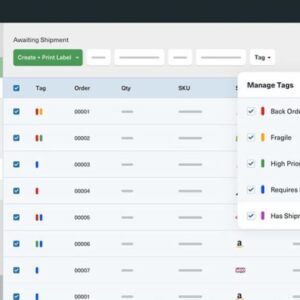
Multi carrier shipping software revolutionizes logistics, empowering businesses of all sizes to optimize shipping processes and reduce costs. This powerful technology consolidates multiple carrier integrations into a single, user-friendly platform, offering unparalleled control and efficiency. From real-time rate calculations to automated label generation, multi carrier shipping software simplifies complex shipping operations, ultimately improving customer satisfaction and boosting profitability.
The core functionality centers around connecting to various carriers, enabling businesses to compare rates, transit times, and service options across different providers. This capability allows for dynamic carrier selection, ensuring that each shipment utilizes the most cost-effective and reliable option available. Beyond simple rate comparisons, sophisticated multi carrier shipping software integrates with existing e-commerce platforms and warehouse management systems, streamlining order fulfillment and inventory management.
Defining Multi-Carrier Shipping Software
Multi-carrier shipping software streamlines the process of shipping packages by integrating with multiple carriers’ systems, allowing businesses to compare rates, transit times, and services from various providers all within a single platform. This eliminates the need to manually check each carrier’s website individually, saving significant time and resources.
Multi-carrier shipping software offers a comprehensive suite of tools designed to optimize the shipping process. Core functionalities include rate shopping and selection, label generation, tracking, returns management, and reporting and analytics. The software often integrates with existing e-commerce platforms and warehouse management systems (WMS), creating a seamless workflow from order placement to delivery confirmation.
Benefits of Multi-Carrier Shipping Software
The advantages of multi-carrier shipping software extend across businesses of all sizes. Small businesses benefit from simplified shipping processes and reduced administrative overhead, allowing them to focus on growth. Larger enterprises can leverage the software to improve efficiency, optimize costs, and enhance customer satisfaction through faster and more reliable delivery options. The ability to compare rates from various carriers empowers businesses to negotiate better shipping contracts and reduce overall shipping expenses. Improved visibility into the shipping process, provided by real-time tracking and reporting, also helps minimize delays and improve customer communication.
Comparison of Multi-Carrier and Single-Carrier Shipping Solutions
Choosing between multi-carrier and single-carrier shipping solutions depends on a business’s specific needs and scale. While single-carrier solutions offer simplicity for businesses primarily using one carrier, multi-carrier software provides greater flexibility and cost-optimization opportunities.
| Feature | Single-Carrier | Multi-Carrier | Cost Comparison |
|---|---|---|---|
| Carrier Options | Limited to a single carrier | Access to multiple carriers (e.g., FedEx, UPS, USPS, DHL) | Single-carrier solutions may have lower upfront costs, but multi-carrier solutions can lead to long-term savings through rate optimization. |
| Rate Shopping | No rate comparison; fixed rates from the single carrier. | Real-time comparison of rates and services from various carriers. | Multi-carrier offers potential for significant savings by identifying the most cost-effective option for each shipment. |
| Label Generation | Label generation through the single carrier’s system. | Automated label generation for multiple carriers within a single platform. | Increased efficiency reduces manual labor costs associated with label printing and handling. |
| Scalability | Limited scalability; may require switching carriers as business grows. | Easily scalable to accommodate increasing shipping volume and expanding service needs. | Multi-carrier solutions offer better long-term cost-effectiveness as the business grows, avoiding the cost and disruption of switching carriers. |
| Tracking & Reporting | Tracking limited to the single carrier’s system. | Centralized tracking and comprehensive reporting across all carriers. | Improved visibility and reporting can help identify areas for improvement and reduce shipping costs. |
Key Features and Integrations
Efficient multi-carrier shipping software streamlines the shipping process, offering significant advantages to businesses of all sizes. By automating tasks and providing comprehensive shipping solutions, it reduces manual effort, minimizes errors, and ultimately improves operational efficiency and customer satisfaction. This section will detail the essential features and integrations that contribute to a robust and effective shipping system.
Effective multi-carrier shipping software offers a range of features designed to optimize the shipping process. These features go beyond simple label generation, encompassing comprehensive tracking, sophisticated reporting, and seamless integration with other business systems. The right software empowers businesses to make informed decisions, improve delivery times, and enhance the overall customer experience.
Real-time Shipping Rate Calculations and Label Generation
Real-time shipping rate calculations and automated label generation are cornerstones of efficient multi-carrier shipping software. This functionality allows businesses to instantly compare rates from various carriers, select the most cost-effective option, and generate shipping labels with minimal manual intervention. The speed and accuracy of these processes directly impact operational efficiency and reduce the risk of errors. For example, a business can instantly compare rates from FedEx, UPS, and USPS for a specific shipment, selecting the fastest or cheapest option based on real-time data and predefined preferences. The software then automatically generates the appropriate shipping label, reducing manual data entry and minimizing the potential for human error. This immediate access to pricing and label generation significantly accelerates order fulfillment and improves overall customer satisfaction.
E-commerce Platform and Warehouse Management System Integrations
Integrating multi-carrier shipping software with e-commerce platforms and warehouse management systems (WMS) is crucial for optimizing order fulfillment and inventory management. This integration streamlines the entire shipping workflow, eliminating manual data entry and reducing the likelihood of errors. The benefits include improved order accuracy, reduced processing time, and enhanced visibility across the supply chain.
- E-commerce Platform Integrations: Examples include seamless integration with platforms like Shopify, Magento, WooCommerce, and BigCommerce. This allows for automatic import of order details, including shipping addresses and product information, directly into the shipping software, eliminating manual data entry and reducing errors. The software then automatically selects the appropriate carrier and generates the shipping label, which is then automatically attached to the order within the e-commerce platform. This ensures accurate tracking information is readily available to both the business and the customer.
- Warehouse Management System (WMS) Integrations: Integrating with WMS systems like Fishbowl Inventory, NetSuite WMS, and Cin7 allows for real-time inventory tracking and automated order fulfillment. The shipping software can automatically update inventory levels after an order is shipped, providing accurate stock information and preventing overselling. It can also automate the process of picking, packing, and labeling orders, improving warehouse efficiency and reducing manual handling.
Carrier Selection and Management
Efficiently connecting to and managing multiple shipping carriers is crucial for any multi-carrier shipping software. This involves establishing secure API connections, configuring carrier-specific settings, and implementing robust error handling. The software should also provide tools for monitoring carrier performance and managing rate updates.
Effective carrier selection is paramount for optimizing shipping costs and delivery times while maintaining reliability. This involves analyzing various factors such as cost, speed, and reliability for each carrier, and dynamically selecting the best option based on the specific shipment details. This process requires real-time data integration and sophisticated algorithms to ensure optimal selection.
Connecting to and Managing Multiple Carriers
The process of connecting to and managing multiple carriers typically involves configuring API credentials for each carrier within the software’s settings. This includes providing unique identifiers, security keys, and potentially other authentication information specific to each carrier’s API. Once connected, the software can access real-time rate information, track shipments, and generate shipping labels for each carrier. The software should also provide tools for managing carrier profiles, including updating contact information, service level agreements, and other relevant settings. Regular monitoring of carrier performance, including delivery times and tracking accuracy, is essential for identifying potential issues and making informed decisions about carrier selection.
Optimizing Carrier Selection Based on Cost, Speed, and Reliability
Optimizing carrier selection involves a multi-faceted approach that considers cost, speed, and reliability. Cost is often the primary driver, but balancing it with speed and reliability is essential for customer satisfaction. For instance, a business might prioritize speed for urgent deliveries, selecting a faster but potentially more expensive carrier like FedEx Express. For less time-sensitive shipments, a more cost-effective carrier like USPS might be preferred. Reliability, measured by on-time delivery rates and tracking accuracy, is crucial for maintaining customer trust and minimizing potential issues. The software should provide a clear overview of these metrics for each carrier, allowing users to make informed decisions. Sophisticated algorithms can weigh these factors to automatically select the optimal carrier for each shipment, considering variables like package dimensions, weight, destination, and delivery deadlines.
Carrier Selection Workflow Diagram
The following workflow diagram illustrates the carrier selection process within a multi-carrier shipping environment.
- Order Received: The system receives order details, including destination, package dimensions, weight, and delivery requirements.
- Carrier Selection Criteria Defined: The system identifies the selection criteria based on the order details (e.g., cost, speed, reliability).
- Real-time Rate Retrieval: The system queries each connected carrier’s API for shipping rates based on the order details.
- Rate Comparison and Analysis: The system compares rates from all carriers based on the defined criteria.
- Optimal Carrier Selection: The system selects the carrier that best meets the defined criteria (e.g., lowest cost, fastest delivery, most reliable).
- Shipping Label Generation: The system generates a shipping label using the selected carrier’s API.
- Shipment Tracking Integration: The system integrates shipment tracking information from the selected carrier.
Shipping Rate Optimization and Cost Savings: Multi Carrier Shipping Software
Multi-carrier shipping software significantly reduces shipping expenses by intelligently selecting the most economical shipping options for each order. This optimization goes beyond simply comparing prices; it considers factors like delivery speed, transit times, and potential surcharges to ensure the best overall value. The software’s ability to automate this process frees up valuable time and resources, allowing businesses to focus on other aspects of their operations.
Multi-carrier shipping software streamlines the process of finding the best shipping rates by providing real-time comparisons across multiple carriers. The software analyzes various factors, including package dimensions, weight, destination, and delivery requirements, to determine the most cost-effective option. It can also identify and leverage discounts, promotions, and negotiated rates, further optimizing shipping costs. This intelligent selection not only saves money but also improves efficiency by automating a previously time-consuming manual process.
Negotiating Better Rates with Carriers
Effective negotiation requires a strong understanding of your shipping volume and patterns. Presenting carriers with data demonstrating consistent high-volume shipping can significantly improve your chances of securing favorable rates. Leveraging your shipping history to highlight your reliability as a customer is also a key strategy. Consider bundling services – negotiating for discounts on multiple services like shipping, tracking, and insurance – to enhance your bargaining power. Finally, don’t hesitate to explore alternative carriers and use their offers as leverage in negotiations.
Identifying Cost-Effective Shipping Options, Multi carrier shipping software
The software’s core function is to analyze multiple carrier options simultaneously, considering factors such as shipping costs, transit times, and service level agreements. This allows businesses to choose the optimal balance between cost and speed based on the specific requirements of each order. For instance, less time-sensitive orders might benefit from slower, more economical shipping methods, while expedited shipping might be necessary for time-sensitive products. The software’s ability to automatically identify these optimal choices eliminates the need for manual comparison and selection.
Cost Savings Scenarios
The following table illustrates potential cost savings achieved by using multi-carrier shipping software to select the most economical shipping options:
| Order Type | Carrier 1 Cost | Carrier 2 Cost | Savings |
|---|---|---|---|
| Small Package (under 1lb) | $8.00 | $6.50 | $1.50 |
| Medium Package (5lbs) | $15.00 | $12.00 | $3.00 |
| Large Package (20lbs) | $40.00 | $32.00 | $8.00 |
| Oversized Package (50lbs) | $85.00 | $70.00 | $15.00 |
Tracking and Delivery Management
Multi-carrier shipping software significantly enhances the tracking and management of deliveries, providing a centralized platform to monitor shipments regardless of the carrier used. This streamlines the process, offering real-time visibility into the location and status of packages, improving customer satisfaction and operational efficiency. The software consolidates tracking information from diverse sources into a unified interface, eliminating the need to navigate multiple carrier websites.
The software’s ability to manage and display delivery information from various carriers is a key advantage. It achieves this by integrating directly with the APIs of different carriers, automatically fetching and presenting updates in a consistent format. This integration eliminates manual data entry and minimizes the risk of errors associated with manually transferring information. The system often presents this information through a user-friendly dashboard, allowing users to quickly filter and sort shipments based on various criteria, such as tracking number, destination, carrier, and delivery date. Visual representations, such as maps displaying package locations, are also common features.
Tracking Functionality Details
Multi-carrier shipping software provides comprehensive tracking functionalities, including real-time location updates, estimated delivery times, and exception notifications (e.g., delays, delivery attempts). Users can typically track multiple packages simultaneously, and the software often offers features like automated email or SMS notifications for significant shipment events, such as when a package is shipped, out for delivery, or delivered. Detailed tracking history, including all location updates and status changes, is readily available for review. Furthermore, many platforms offer advanced features such as proactive alerts for potential delays, allowing businesses to proactively address issues and manage customer expectations.
Delivery Information Management and Display
The software efficiently manages and displays delivery information by utilizing a standardized format, regardless of the carrier. This standardized presentation ensures consistency and simplifies the process of understanding the status of shipments across different carriers. The software typically displays key information such as tracking number, carrier name, current status, estimated delivery date, origin and destination addresses, and a history of all status updates. This information is often presented in a clear and concise manner, using a combination of text, icons, and potentially even maps to visualize package locations. For example, a dashboard might show a list of all shipments, color-coded to indicate their status (e.g., green for delivered, yellow for in transit, red for delayed).
Step-by-Step Package Tracking Procedure
Tracking a package using multi-carrier shipping software is typically straightforward. The following steps Artikel a common procedure:
- Access the Software: Log in to your multi-carrier shipping software account.
- Locate the Tracking Section: Navigate to the section dedicated to tracking shipments. This is often prominently displayed on the dashboard.
- Enter Tracking Information: Enter the tracking number provided by the carrier. This number is unique to each shipment.
- Initiate Tracking: Click the “Track” button or equivalent to initiate the tracking process.
- Review Tracking Information: The software will display the current status, location, and history of the shipment. This will often include a map displaying the package’s journey.
- Access Additional Details (Optional): Many systems allow you to access more detailed information, such as proof of delivery or exception notes.
Reporting and Analytics
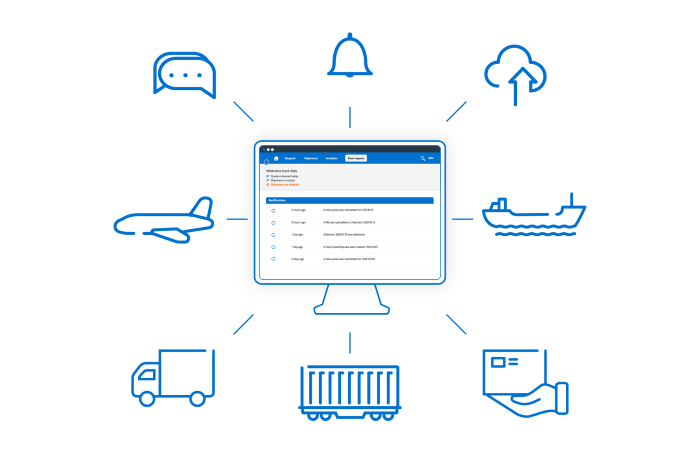
Source: cargobase.com
Efficient multi-carrier shipping software streamlines the logistics process, offering significant time and cost savings for businesses. Choosing the right software can be as crucial as selecting the right peripherals, such as a precise mouse; for example, optimizing your workflow might involve using software like the reddragon mouse software for better control. Ultimately, the selection of both shipping software and computer peripherals significantly impacts overall operational efficiency.
Multi-carrier shipping software provides robust reporting and analytics capabilities, offering businesses invaluable insights into their shipping operations. This data-driven approach allows for informed decision-making, optimized processes, and ultimately, significant cost savings. By tracking key performance indicators (KPIs) and generating comprehensive reports, businesses gain a clear understanding of their shipping efficiency and areas ripe for improvement.
Effective analysis of shipping data reveals trends, highlights bottlenecks, and facilitates proactive adjustments to shipping strategies. This section details the types of reports generated and how they contribute to improved shipping performance.
Types of Shipping Reports
Multi-carrier shipping software generates a wide array of reports, each designed to provide specific insights into different aspects of the shipping process. These reports typically include summaries of shipping costs, delivery times, carrier performance, and exception rates. More sophisticated software may also offer customized reports tailored to specific business needs. Examples include:
- Cost Reports: Detailing total shipping expenses, broken down by carrier, service level, destination, and other relevant parameters.
- Delivery Time Reports: Analyzing transit times for shipments, identifying potential delays and areas for optimization.
- Carrier Performance Reports: Evaluating the reliability and efficiency of different carriers based on on-time delivery rates, exception rates, and other key metrics.
- Exception Reports: Highlighting instances of delays, lost packages, or other shipping irregularities, allowing for timely intervention and resolution.
- Customs Compliance Reports: Tracking and reporting on customs documentation, ensuring compliance with international regulations.
Analyzing Shipping Performance
The reports generated by multi-carrier shipping software are crucial for analyzing shipping performance and identifying areas for improvement. By tracking key metrics over time, businesses can identify trends and patterns that might otherwise go unnoticed. For instance, a consistent increase in average shipping costs might indicate a need to renegotiate carrier contracts or explore alternative shipping options. Similarly, a high exception rate for a particular carrier could signal the need to switch to a more reliable provider. Analyzing delivery times can highlight bottlenecks in the shipping process, prompting adjustments to packaging, routing, or warehouse management.
Sample Shipping Performance Report
The following table presents a sample report detailing key shipping metrics for a hypothetical business over a one-month period.
| Metric | Value | Trend | Action Items |
|---|---|---|---|
| Average Shipping Cost | $15.50 | Increased by 5% from last month | Negotiate lower rates with carriers; explore alternative shipping options |
| Average Delivery Time | 3.2 days | Decreased by 0.5 days from last month | Maintain current processes; consider further optimization opportunities |
| On-Time Delivery Rate | 98% | Stable | Maintain current performance; monitor for potential issues |
| Exception Rate | 2% | Increased by 1% from last month | Investigate root causes of exceptions; improve packaging and handling procedures |
Security and Compliance
Protecting sensitive data and ensuring regulatory compliance are paramount when choosing multi-carrier shipping software. Robust security measures and adherence to relevant regulations are crucial for maintaining customer trust and avoiding legal repercussions. This section details the security features and compliance standards integrated into effective multi-carrier shipping solutions.
The software employs a multi-layered security approach to safeguard sensitive data, including customer information, shipping details, and payment information. This typically involves robust encryption protocols (such as TLS/SSL) to protect data in transit, secure storage mechanisms (like database encryption) to protect data at rest, and access control measures (role-based permissions, multi-factor authentication) to restrict access to authorized personnel only. Regular security audits and penetration testing are also conducted to identify and address vulnerabilities proactively. Compliance with industry standards like PCI DSS (for payment card data) and GDPR (for personal data) is a fundamental aspect of the software’s design.
Data Encryption and Secure Storage
Data encryption is implemented at multiple levels, including data in transit using TLS/SSL and data at rest using database encryption. Access to sensitive data is controlled through role-based permissions, ensuring that only authorized personnel can access specific information. For example, a shipping clerk might have access to shipping labels and tracking information, but not to customer payment details, which are restricted to finance personnel. Regular security audits and penetration testing help identify and address vulnerabilities, minimizing the risk of data breaches.
Compliance with Shipping Regulations
The software is designed to ensure compliance with various shipping regulations, including those related to hazardous materials (HAZMAT), customs declarations, and import/export controls. For instance, the software incorporates automated checks to ensure that hazardous materials are properly identified and packaged according to regulations, generating the necessary shipping documentation automatically. It also facilitates the creation of accurate customs declarations, minimizing the risk of delays or penalties due to non-compliance. The software is regularly updated to reflect changes in shipping regulations.
Best Practices for Maintaining Data Security and Regulatory Compliance
Maintaining data security and regulatory compliance requires ongoing effort. Following best practices is essential for minimizing risk and ensuring smooth operations.
- Implement strong password policies and enforce multi-factor authentication for all users.
- Regularly update the software and its security components to patch vulnerabilities.
- Conduct regular security audits and penetration testing to identify and address weaknesses.
- Train employees on data security best practices and regulatory compliance requirements.
- Establish clear data retention policies and procedures for securely deleting sensitive data when no longer needed.
- Maintain detailed audit logs to track user activity and identify potential security incidents.
- Develop and regularly test incident response plans to effectively handle security breaches.
Implementation and Support

Source: zhenhub.com
Implementing multi-carrier shipping software requires careful planning and execution to ensure a seamless transition and maximize the benefits of the new system. A successful implementation minimizes disruption to daily operations and allows your team to quickly adopt the new software and its features. The level of support offered by vendors significantly influences this process.
The implementation process typically involves several key stages, from initial assessment and configuration to ongoing training and support. Vendors usually offer a range of services designed to guide businesses through this process, ensuring a smooth transition and maximizing the return on investment. These services often include initial consultations, software configuration, data migration, user training, and ongoing technical support.
Implementation Process
Implementing multi-carrier shipping software is a multi-step process requiring careful coordination between your team and the software vendor. A well-defined plan is essential to minimize disruption and ensure a smooth transition.
- Needs Assessment and Vendor Selection: Begin by thoroughly evaluating your shipping needs and selecting a vendor whose software aligns with those needs and your budget. This involves comparing features, integrations, pricing models, and vendor reputation.
- Data Migration: Transferring existing shipping data to the new system is a crucial step. This requires careful planning and execution to ensure data integrity and accuracy. Vendors often provide tools and assistance with this process.
- System Configuration: The software needs to be configured to match your specific business requirements, including carrier integrations, shipping rules, and reporting preferences. This usually involves collaboration with the vendor’s technical team.
- User Training: Comprehensive training for your staff is essential to ensure they can effectively use the new software. This typically includes both online resources and hands-on training sessions.
- Testing and Go-Live: Thorough testing is crucial before launching the software. This involves testing all functionalities and integrations to identify and resolve any issues. A phased rollout can help mitigate risks associated with a complete system launch.
- Post-Implementation Support: Ongoing support is vital to address any issues that arise after the software is launched. Vendors typically offer various support options, including email, phone, and online chat support.
Support and Training
Software vendors typically offer a variety of support and training options to ensure a smooth implementation and ongoing use of their multi-carrier shipping software. The level of support offered can vary depending on the vendor and the specific software package.
- On-site Training: Some vendors provide on-site training sessions led by their experts. This offers personalized instruction and allows for immediate feedback and clarification.
- Online Training Resources: Many vendors provide comprehensive online training materials, including videos, tutorials, and documentation. This allows users to learn at their own pace and access information whenever needed.
- Technical Support: Vendors typically offer technical support via phone, email, or online chat to address technical issues and answer questions. Response times and support levels may vary depending on the vendor’s service level agreements.
- Dedicated Account Manager: Some vendors assign a dedicated account manager to assist businesses throughout the implementation process and beyond. This provides a single point of contact for any questions or concerns.
Implementation Checklist
A well-structured checklist can help ensure a smooth and efficient implementation.
- Define clear project goals and objectives.
- Identify key stakeholders and their roles.
- Develop a detailed implementation plan with timelines and milestones.
- Secure necessary resources, including budget, personnel, and technology.
- Conduct thorough testing before going live.
- Provide comprehensive training to all users.
- Establish a communication plan to keep stakeholders informed.
- Develop a post-implementation support plan.
- Regularly monitor performance and make necessary adjustments.
- Conduct a post-implementation review to identify lessons learned.
Closure
In conclusion, implementing multi carrier shipping software offers a significant competitive advantage. By centralizing shipping operations, automating key processes, and leveraging data-driven insights, businesses can optimize costs, enhance efficiency, and deliver a superior customer experience. The benefits extend across all aspects of the shipping lifecycle, from initial order placement to final delivery confirmation, solidifying its position as a crucial tool for modern businesses seeking to thrive in the competitive e-commerce landscape.