
Mplus software is a powerful statistical package widely used for advanced statistical modeling. It offers a robust suite of tools for researchers and analysts across various disciplines, enabling them to tackle complex research questions with sophisticated statistical techniques. From structural equation modeling (SEM) to latent growth curve modeling (LGM), Mplus provides a flexible and efficient environment for data analysis, visualization, and interpretation. This guide delves into the core functionalities of Mplus, providing a comprehensive overview of its capabilities and practical applications.
This guide will cover data input and management, performing various analyses, interpreting the resulting output, and exploring advanced techniques. We will also address common troubleshooting issues and demonstrate effective methods for visualizing the results. Whether you are a seasoned statistician or a novice user, this resource aims to equip you with the knowledge and skills necessary to effectively utilize Mplus software in your research endeavors.
Mplus Software Overview
Mplus is a powerful statistical software package specializing in the analysis of latent variable models. It’s widely used across various disciplines for its flexibility and ability to handle complex data structures and models. This overview will explore its core functionalities, analytical capabilities, target user base, and comparative strengths against other statistical software.
Core Functionalities of Mplus
Mplus’s core functionality centers around the estimation of latent variable models. This includes structural equation modeling (SEM), confirmatory factor analysis (CFA), and growth curve modeling. Beyond these foundational methods, Mplus offers robust capabilities for handling various data types, including continuous, categorical, ordinal, and count data. The software also provides tools for model specification, estimation, and assessment, allowing users to build, test, and refine their models iteratively. Furthermore, Mplus integrates advanced techniques like Bayesian estimation, allowing for a broader range of inferential approaches.
Types of Analyses Performed by Mplus
Mplus performs a wide array of statistical analyses, going far beyond basic regression. It excels in handling complex models involving multiple latent variables, mediating and moderating effects, and longitudinal data. Specific analysis types include: structural equation modeling (SEM) for examining relationships between observed and latent variables; confirmatory factor analysis (CFA) for assessing the validity and reliability of measurement scales; growth curve modeling for analyzing changes over time; mixture modeling for identifying subgroups within a population; and multilevel modeling for analyzing hierarchical data. Its versatility extends to handling various data types and model complexities, making it a valuable tool for researchers across numerous fields.
Target User Base for Mplus
Mplus is primarily designed for researchers and practitioners who require advanced statistical modeling techniques. Its target user base includes academics in fields such as psychology, sociology, education, and business, as well as researchers in other quantitative disciplines needing to analyze complex data structures. While a strong statistical background is beneficial, Mplus provides comprehensive documentation and tutorials to support users in learning and applying its capabilities. The software’s strength lies in its ability to handle intricate models that often exceed the capabilities of simpler statistical packages.
Comparison with Other Statistical Software Packages
Compared to other statistical software like SPSS or R, Mplus distinguishes itself through its specialized focus on latent variable modeling. While SPSS and R can perform some SEM analyses, Mplus offers more advanced capabilities and a more user-friendly interface specifically designed for this type of analysis. R, while incredibly versatile and powerful, requires a steeper learning curve for SEM, often demanding significant coding expertise. SPSS, on the other hand, might lack the flexibility and advanced features available in Mplus for complex models. Mplus provides a balance between user-friendliness and advanced capabilities that makes it a preferred choice for researchers focusing on latent variable analysis.
Key Features and Benefits of Mplus
| Feature | Benefit | Feature | Benefit |
|---|---|---|---|
| Latent Variable Modeling | Handles complex models involving multiple latent variables. | Bayesian Estimation | Provides a wider range of inferential approaches. |
| Various Data Types | Accommodates continuous, categorical, ordinal, and count data. | User-Friendly Interface | Simplifies model specification and interpretation. |
| Comprehensive Output | Provides detailed results and diagnostics for model evaluation. | Extensive Documentation | Supports users in learning and applying the software’s capabilities. |
Mplus Data Input and Management: Mplus Software
Mplus offers a robust system for managing and preparing data for various statistical analyses. Understanding its data input and management capabilities is crucial for effectively leveraging the software’s power. This section details the various data formats supported, the data import process, data cleaning and transformation techniques, missing data handling strategies, and provides a step-by-step guide to prepare your data for analysis.
Data Formats Accepted by Mplus
Mplus accepts data in several common formats, ensuring compatibility with various data sources. These formats facilitate seamless integration of data from different statistical packages and spreadsheets. The most frequently used formats include rectangular data files (e.g., comma-separated values (.csv), tab-delimited files (.txt), and SPSS (.sav) files. Mplus also supports reading data directly from databases using ODBC connections. Choosing the appropriate format depends largely on the source and structure of your data.
Importing Data into Mplus
The process of importing data into Mplus is straightforward. Users specify the file path to their data file within the Mplus syntax. The syntax requires a `DATA` command specifying the file type and location. For example, to read a CSV file named “mydata.csv,” the syntax would include: `DATA: FILE IS “mydata.csv”;`. Mplus automatically detects variable names from the first row of the file (unless otherwise specified). The `VARIABLE` command is then used to define variables, their types (continuous, categorical), and any necessary transformations.
Data Cleaning and Transformation in Mplus
Mplus provides several commands for data cleaning and transformation. These commands enable users to modify the data before analysis to improve accuracy and address potential issues. For instance, the `USEVARIABLES` command allows for selecting specific variables for analysis, effectively excluding unwanted columns. The `MISSING` command specifies how to handle missing data points. Transformations such as centering, standardization (z-scores), and creating new variables based on existing ones are readily accomplished using the `DEFINE` command, allowing for complex data manipulations within the Mplus syntax itself. For example, to create a new variable ‘age_centered’ by centering the ‘age’ variable around its mean, one might use: `DEFINE: age_centered = age – MEAN(age);`.
Handling Missing Data in Mplus
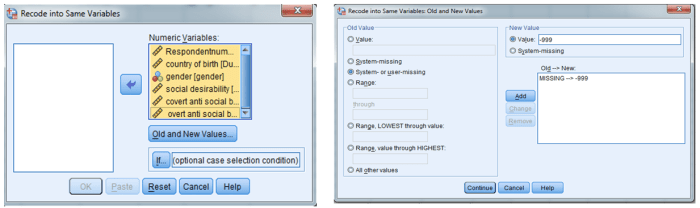
Missing data is a common challenge in statistical analysis. Mplus offers various methods to address this, including listwise deletion, pairwise deletion, and imputation. Listwise deletion excludes any case with missing data on any variable, which can lead to significant loss of information. Pairwise deletion uses all available data for each pair of variables, but can lead to inconsistencies. Imputation methods, such as maximum likelihood estimation, replace missing values with estimated values. The `MISSING` command in Mplus allows users to specify the desired handling method. For example, `MISSING = ML;` indicates that maximum likelihood estimation should be used for handling missing data. The choice of method depends on the pattern and amount of missing data and the type of analysis being conducted. Careful consideration should be given to the potential biases introduced by different missing data handling techniques.
Step-by-Step Guide for Preparing Data for Analysis in Mplus
1. Data Acquisition and Formatting: Obtain your data in a suitable format (e.g., .csv, .sav). Ensure your data is properly formatted, with clear variable names and consistent data types.
2. Data Inspection and Cleaning: Examine your data for errors, outliers, and missing values. Address these issues appropriately, potentially using external software or initial data cleaning steps before importing into Mplus.
3. Data Import into Mplus: Use the `DATA` command in your Mplus syntax to specify the file path and type.
4. Variable Definition: Define variables using the `VARIABLE` command, specifying variable types (continuous, categorical) and any necessary labels.
5. Data Transformation: Apply any necessary transformations using the `DEFINE` command, such as centering, standardization, or creating new variables.
6. Missing Data Handling: Specify the missing data handling method using the `MISSING` command.
7. Syntax Review and Execution: Review your Mplus syntax carefully before running the analysis to ensure accuracy.
Performing Analyses with Mplus
Source: redd.it
Mplus software offers robust statistical modeling capabilities, but for managing the complexities of a manufacturing environment, a comprehensive system is often needed. Integrating Mplus data with a powerful solution like manufacturing ERP software can streamline processes and improve data analysis. This allows for a more holistic view of manufacturing performance, ultimately enhancing the insights derived from Mplus’s analytical power.
Mplus offers a powerful and flexible environment for conducting a wide range of statistical analyses, particularly in the realm of structural equation modeling (SEM) and latent variable modeling. Its syntax-driven approach allows for precise specification of complex models, and its output provides comprehensive information for model evaluation and interpretation. This section will illustrate several key analytical procedures within Mplus.
Structural Equation Modeling (SEM) Analysis in Mplus
SEM analysis in Mplus involves specifying a model that describes the relationships between observed and latent variables. The model is defined using a combination of measurement and structural equations. The measurement equations define how latent variables relate to observed variables, while the structural equations define the relationships between latent variables. Mplus then estimates the parameters of the model using maximum likelihood estimation (MLE) or other appropriate methods. A simple example of a confirmatory factor analysis (CFA), a type of SEM, follows.
Consider a model with two latent variables, “Anxiety” and “Depression,” each measured by three observed variables. The Mplus syntax below specifies this CFA model:
MODEL:
Anxiety =~ item1 + item2 + item3;
Depression =~ item4 + item5 + item6;ANALYSIS:
TYPE = CML;
This syntax defines the measurement model. The `ANALYSIS` section specifies the estimation method (CML = Complex Maximum Likelihood). Additional options can be added to the syntax to control various aspects of the analysis, such as specifying covariance matrices or using different estimation methods. The output from Mplus will include parameter estimates, standard errors, fit indices, and other relevant statistics that allow researchers to evaluate the model’s fit to the data and interpret the relationships between variables.
Latent Growth Curve Modeling (LGM) in Mplus
Latent growth curve modeling (LGM) is used to analyze changes in a latent variable over time. This technique is particularly useful for longitudinal data where repeated measurements are taken on the same individuals. In Mplus, LGM is specified by defining a latent growth model, which includes a latent intercept (representing the initial level of the variable) and a latent slope (representing the rate of change over time).
Let’s consider a simple linear growth model with three time points. The Mplus syntax might look like this:
MODEL:
i =~ 1*time1 + 1*time2 + 1*time3;
s =~ 0*time1 + 1*time2 + 2*time3;ANALYSIS:
TYPE = CML;
Here, `i` represents the latent intercept and `s` represents the latent slope. The numbers (0, 1, 2) represent the time points. The output would provide estimates for the mean intercept and slope, allowing researchers to understand the average starting level and rate of change in the latent variable. More complex models can include additional parameters, such as quadratic or higher-order effects, to capture more intricate growth patterns.
Fitting Different Types of Growth Models in Mplus
Mplus allows fitting various growth models beyond the simple linear model. For instance, one might specify a quadratic growth model to capture acceleration or deceleration in the growth trajectory. This involves adding a latent quadratic term to the model. Alternatively, nonlinear growth models can be specified to account for non-linear changes over time. The choice of growth model depends on the specific research question and the pattern of change observed in the data. Comparing model fit indices (e.g., chi-square, CFI, RMSEA) across different model specifications helps determine which model best represents the data.
Comparing Output from Different Model Specifications, Mplus software
Comparing the output from different model specifications involves examining the fit indices, parameter estimates, and standard errors. Fit indices provide information on how well the model fits the data. Common fit indices include the chi-square test of model fit, comparative fit index (CFI), Tucker-Lewis index (TLI), and root mean square error of approximation (RMSEA). Parameter estimates represent the strength and direction of relationships between variables, and standard errors provide a measure of the uncertainty associated with these estimates. By comparing these statistics across models, researchers can determine which model provides the best balance between model fit and parsimony. For example, a model with a lower RMSEA and higher CFI is generally preferred to a model with worse fit indices, assuming the more complex model is not overly specified.
Mplus Syntax for a Mediation Model
Consider a research question investigating whether the effect of stress (“X”) on depression (“Y”) is mediated by social support (“M”). The following Mplus syntax tests this mediation model:
MODEL:
Y on X M;
M on X;ANALYSIS:
TYPE = CML;
This syntax specifies the direct effect of stress on depression (`Y on X`), the indirect effect of stress on depression through social support (`M on X` and `Y on M`), and the direct effect of social support on depression (`Y on M`). The output will provide estimates for these effects, allowing researchers to assess the significance of the mediation effect. Additional parameters, such as covariances between error terms, can be included as needed. Careful examination of the parameter estimates and indirect effect significance will determine the strength of mediation.
Interpreting Mplus Output
Understanding the output generated by Mplus is crucial for drawing meaningful conclusions from your analysis. Mplus provides a wealth of information, ranging from parameter estimates and standard errors to various model fit indices. Effectively interpreting this output requires a systematic approach, focusing on key statistics and their implications for your research hypotheses.
Key Parameters and Statistics
Mplus output presents numerous parameters and statistics. Central to interpretation are the estimated parameters (e.g., regression coefficients, factor loadings, intercepts) and their associated standard errors. These standard errors allow for the calculation of confidence intervals and significance testing. Additionally, the output includes modification indices, which suggest potential model improvements by adding or removing parameters. For example, in a structural equation model, a significant regression coefficient indicates a relationship between two variables, while a non-significant coefficient suggests the absence of a direct relationship. The magnitude of the coefficient reflects the strength of the relationship. The standard error helps determine the precision of the estimate, while the p-value indicates the statistical significance of the effect.
Assessing Model Fit Indices
Model fit indices provide an overall assessment of how well the estimated model reproduces the observed data. Mplus offers a variety of these indices, each with its own strengths and weaknesses. Commonly reported indices include the chi-square test, comparative fit index (CFI), Tucker-Lewis index (TLI), root mean square error of approximation (RMSEA), and standardized root mean square residual (SRMR). A good-fitting model typically exhibits a non-significant chi-square test (indicating a good fit to the data), CFI and TLI values above 0.95, and RMSEA and SRMR values below 0.08. However, the interpretation of these indices should be considered within the context of the research question, sample size, and model complexity. For instance, a large sample size can lead to a statistically significant chi-square even when the model fits reasonably well.
Identifying Significant Relationships and Effects
Mplus output clearly displays the significance of estimated parameters through p-values. A p-value below a pre-specified alpha level (commonly 0.05) indicates a statistically significant relationship or effect. For example, a significant regression coefficient in a path analysis suggests a statistically significant relationship between the predictor and outcome variables. Similarly, significant factor loadings in a confirmatory factor analysis indicate that the items are loading onto the intended latent factor. It’s important to consider effect sizes alongside p-values. While statistical significance shows the likelihood of observing the effect if there were no true relationship, effect size quantifies the magnitude of the relationship, providing a more comprehensive understanding of the findings.
Best Practices for Interpreting Complex Mplus Results
Interpreting complex Mplus results requires careful consideration of several factors. Begin by thoroughly examining the model fit indices to ensure the model adequately represents the data. Then, focus on the parameter estimates and their associated standard errors and p-values, paying attention to both statistical significance and effect sizes. Visual aids, such as path diagrams for structural equation models, can significantly enhance understanding. Consider the limitations of the model and data, and acknowledge potential biases or confounding variables. Finally, always relate the findings back to the original research questions and hypotheses.
Interpretation of Key Mplus Output Statistics
| Statistic | Description | Interpretation | Example |
|---|---|---|---|
| Regression Coefficient (b) | Estimates the strength and direction of the relationship between predictor and outcome variables. | Positive b indicates a positive relationship; negative b indicates a negative relationship. Magnitude reflects the strength. | b = 0.50, p < .05 indicates a significant positive relationship. |
| Standard Error (SE) | Measures the precision of the parameter estimate. | Smaller SE indicates greater precision. | SE = 0.10 suggests a relatively precise estimate. |
| p-value | Probability of observing the result if there is no true effect. | p < .05 typically indicates statistical significance. | p = .02 indicates a significant result. |
| CFI | Comparative Fit Index; measures the relative fit of the model compared to a baseline model. | Values above 0.95 generally indicate good fit. | CFI = 0.97 suggests a good model fit. |
Advanced Techniques in Mplus
Mplus offers a range of advanced statistical techniques beyond basic structural equation modeling and confirmatory factor analysis. These advanced capabilities allow researchers to tackle complex research questions involving intricate data structures and nuanced statistical models. This section will explore several key advanced techniques, illustrating their implementation and practical applications within Mplus.
Bayesian Estimation in Mplus
Bayesian estimation provides a powerful alternative to traditional frequentist approaches. Instead of focusing solely on point estimates, Bayesian methods provide a posterior distribution of parameter estimates, reflecting the uncertainty inherent in the data. This allows for a more nuanced interpretation of results, incorporating prior knowledge and providing credible intervals instead of confidence intervals. In Mplus, Bayesian estimation is specified using the `ANALYSIS` section. For example, adding `ESTIMATOR = BAYES;` will switch the estimation method. A prior distribution for parameters can be specified using the `PRIOR` command, allowing researchers to incorporate existing knowledge or beliefs about the parameters into the analysis. The output will include posterior means, standard deviations, and credible intervals for each parameter. A practical application might involve analyzing longitudinal data where prior information on the rate of change of a particular construct is available from previous studies. This prior information can then be integrated into the Mplus model to improve the precision of the parameter estimates.
Multiple Imputation in Mplus
Missing data is a pervasive issue in research. Multiple imputation offers a robust method for handling missing data by creating multiple plausible datasets, each with different imputed values for the missing data points. Mplus seamlessly integrates with multiple imputation procedures. The user first creates multiple imputed datasets using a suitable software package (e.g., SAS, R) and then specifies the location of these datasets in the Mplus input file using the `DATA` command, indicating the number of imputed datasets. Mplus then analyzes each dataset separately and combines the results using Rubin’s rule to obtain pooled estimates and standard errors that account for the uncertainty introduced by the imputation process. This technique is particularly valuable when dealing with missing data that is not missing completely at random (MCAR). For instance, in a study investigating the relationship between job satisfaction and burnout, multiple imputation could be used to handle missing data on either variable, allowing for a more accurate analysis of the relationship even with incomplete data.
Multilevel Modeling in Mplus
Multilevel modeling, also known as hierarchical linear modeling, is essential for analyzing data with nested structures, such as students nested within classrooms or individuals nested within families. Mplus handles multilevel models efficiently using the `MODEL` and `WITHIN` commands. The `MODEL` statement specifies the between-level relationships, while the `WITHIN` statement defines the within-level relationships. For example, a multilevel model might examine the effect of a school-based intervention on student achievement, accounting for the nested structure of students within classrooms. The between-level component would model the variation in achievement between classrooms, while the within-level component would model the variation in achievement within each classroom. This allows for the examination of both individual-level and group-level effects simultaneously.
Custom-Defined Constraints and Modifications in Mplus
Mplus provides flexibility for imposing constraints and modifications on model parameters. This allows for the testing of specific hypotheses or the incorporation of theoretical knowledge. Constraints can be specified using the `MODEL` command, with equality constraints indicated by the equals sign (=) and inequality constraints using the greater than (>) or less than (<) symbols. For instance, a researcher might constrain two factor loadings to be equal to test the hypothesis that two items measure the same underlying construct. Modifications indices, provided by Mplus after model estimation, suggest potential model improvements by identifying parameters that, if freed, would significantly improve model fit. These indices can guide researchers in refining their models and exploring alternative specifications.
Example: Bayesian Multilevel Model for Educational Achievement
Consider a study examining the impact of a tutoring program on student math scores, accounting for the nested structure of students within schools. We can use a Bayesian multilevel model in Mplus to analyze the data. The model would include a level-1 component modeling the individual student scores, and a level-2 component modeling school-level variation in intercepts and slopes. Prior distributions could be specified for the parameters, reflecting prior beliefs about the effect size of the tutoring program and the amount of school-level variation. The Bayesian estimation approach would provide posterior distributions for these parameters, allowing for a more complete understanding of the impact of the tutoring program, including uncertainty estimates. The Mplus syntax would include the `ANALYSIS` statement specifying `ESTIMATOR = BAYES;`, the `MODEL` and `WITHIN` statements defining the multilevel structure, and the `PRIOR` statement specifying prior distributions for the relevant parameters. The output would then provide the posterior distributions of the parameters, including credible intervals, allowing for a more nuanced interpretation of the results compared to a frequentist approach.
Visualizing Mplus Results
Effectively communicating the results of complex statistical analyses performed in Mplus requires clear and concise visualization. Visualizations translate complex numerical data into easily digestible formats, aiding understanding and facilitating communication of findings to both technical and non-technical audiences. This section explores various methods for visualizing Mplus output, focusing on techniques suitable for structural equation modeling (SEM) and latent growth curve modeling (LGM).
Methods for Creating Visualizations of Mplus Output
Several methods exist for creating visualizations from Mplus output. Directly exporting data from Mplus into statistical software packages like R, Python (with libraries like matplotlib, seaborn, or ggplot2), or SPSS is a common approach. These packages offer extensive visualization capabilities, allowing for customization and creation of publication-quality graphics. Alternatively, some researchers might use spreadsheet software such as Excel or Google Sheets for simpler visualizations, although these options are generally less flexible for more complex models. Finally, creating custom visualizations using specialized statistical graphics software offers another route for generating tailored graphics. The choice of method often depends on the complexity of the model, the desired level of customization, and the user’s familiarity with different software packages.
Examples of Effective Visualizations for SEM and LGM Results
Effective visualizations for SEM often involve path diagrams illustrating the relationships between latent and observed variables. These diagrams visually represent the hypothesized model, including standardized path coefficients, and model fit indices. For example, a path diagram for a model assessing the relationship between latent constructs like “self-esteem” and “academic achievement” would clearly show the direct and indirect effects between these constructs, as well as the relationships between the observed indicators (e.g., specific test scores, self-report measures) and their respective latent variables. For LGM, visualizations often focus on plotting the estimated growth trajectories over time. For instance, a graph showing the average growth of reading ability across different age groups, with confidence intervals displayed, effectively communicates the results of a LGM analysis. This helps researchers understand the pattern of change and variability in the growth trajectories.
Presenting Complex Statistical Findings Clearly and Accessibly
Presenting complex statistical findings requires careful consideration of the audience. Avoid overwhelming the reader with technical jargon and overly detailed numerical output. Focus on conveying the key findings in a clear and concise manner, using visualizations to support the narrative. For instance, instead of presenting a table of numerous parameter estimates, summarize the key relationships and their significance using a path diagram or a concise summary table highlighting the most important findings. Consider using plain language explanations alongside technical details to ensure broad accessibility.
Chart Types Suitable for Illustrating Mplus Findings
Various chart types can effectively illustrate Mplus findings. Path diagrams are essential for SEM, visually representing the model structure and parameter estimates. Scatter plots can show the relationships between variables, while line graphs are useful for displaying growth trajectories (as in LGM). Bar charts can summarize group differences in means or proportions. Histograms can visualize the distribution of variables. Finally, tables summarizing key model fit indices and parameter estimates are crucial for providing detailed information. The choice of chart type depends on the specific research question and the nature of the data.
Visualization for a Hypothetical Mplus Output
Consider a hypothetical Mplus output analyzing the effect of a new teaching method on student math achievement, controlling for prior math knowledge. A suitable visualization would be a combined path diagram and a graph showing growth trajectories. The path diagram would illustrate the relationships between latent variables representing “Prior Math Knowledge,” “Teaching Method,” and “Math Achievement,” with observed indicators for each. Standardized path coefficients would be displayed on the arrows. The accompanying graph would show the average growth trajectories of math achievement for students exposed to the new teaching method versus a control group, plotted over time (e.g., across three semesters). Error bars representing confidence intervals would be included. This combination effectively communicates both the structural relationships and the changes in math achievement over time. The chart elements would clearly label axes, variables, and parameters, ensuring clear and accurate interpretation.
Troubleshooting and Common Errors
Source: jihongzhang.org
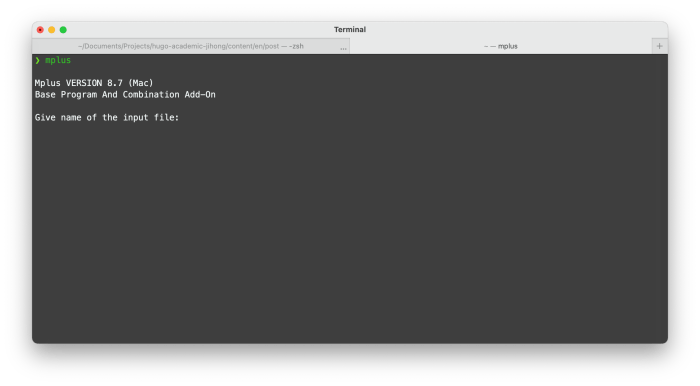
Mplus, while a powerful tool, can present users with various error messages and unexpected results. Understanding common issues and effective debugging strategies is crucial for efficient model estimation and interpretation. This section provides guidance on identifying, understanding, and resolving frequent problems encountered during the Mplus workflow.
Common Mplus Errors and Their Causes
Mplus error messages often pinpoint the source of the problem, but sometimes deciphering them requires understanding the underlying model specification and data structure. Syntax errors are frequently caused by typos, incorrect variable names, or improper use of Mplus commands. Data-related errors often stem from missing values, incorrect data types, or inconsistencies in the data file. Model specification errors can arise from improper model definition, constraints that lead to identification problems, or non-convergence issues. A systematic approach to error checking, starting with syntax and data, then moving to model specification, can greatly improve troubleshooting efficiency.
Debugging Mplus Syntax
Effective debugging involves a careful review of the Mplus input file. Begin by meticulously checking for typos in variable names, command s, and parameter values. Ensure that all semicolons are correctly placed and that parentheses are balanced. Use Mplus’s error messages as a starting point, as they often provide line numbers indicating the location of the problem. If the error message is unclear, systematically comment out sections of the code to isolate the problematic part. For complex models, breaking the analysis into smaller, more manageable parts can simplify debugging. For example, testing the data input and simpler model components separately before combining them into a more complex model can isolate the source of errors.
Data Input and Model Specification Problems
Data issues are a frequent source of Mplus errors. Verify that your data file is correctly formatted and that variable names match those used in the Mplus syntax. Pay close attention to missing data handling; Mplus offers several options for addressing missing data, and selecting the appropriate method is crucial. Incorrect data types (e.g., treating a categorical variable as continuous) can also lead to errors. Regarding model specification, carefully review the model definition to ensure it accurately reflects your research hypotheses. Ensure that the model is identified (i.e., has enough information to estimate all parameters). Improperly specified constraints can lead to model non-convergence or unrealistic parameter estimates. For example, constraining a variance to be negative will result in an error.
Interpreting Mplus Warning Messages
Mplus produces warning messages to alert users to potential issues that may not necessarily halt the analysis but could affect the results’ validity or interpretation. These warnings often relate to convergence problems, Hessian matrix issues (indicating potential problems with parameter estimation), or Heywood cases (parameter estimates at their boundaries, such as a variance of zero). Carefully examine these warnings; they often suggest adjustments to the model specification, data handling, or estimation method. For example, a warning about a poorly conditioned Hessian matrix might suggest exploring alternative estimation methods or simplifying the model.
Troubleshooting Guide for Common Mplus Issues
- Error: “Syntax error…”: Check for typos in variable names, commands, and semicolons. Ensure parentheses are balanced.
- Error: “Data error…”: Verify data format, variable names, and data types. Check for missing values and consider appropriate handling methods.
- Error: “Model does not converge.”: Check model identification, constraints, starting values, and estimation method. Consider simplifying the model or using different estimation algorithms.
- Warning: “Hessian matrix is not positive definite.”: This suggests problems with parameter estimation. Try different estimation methods (e.g., ML, Bayesian), or simplify the model. Consider using robust standard errors.
- Warning: “Heywood case detected.”: A parameter estimate is at its boundary (e.g., variance = 0). This often indicates a model misspecification or data issues. Re-evaluate the model and data.
- Error: “Singular matrix encountered.”: This indicates a problem with the data or model specification, often related to collinearity among variables or over-parameterization of the model. Examine the correlation matrix of your data and simplify the model if necessary.
Final Thoughts
Source: rensvandeschoot.com
Mplus software represents a significant advancement in statistical modeling, offering researchers unparalleled flexibility and power in analyzing complex data. By mastering the techniques Artikeld in this guide, users can unlock the full potential of Mplus, gaining valuable insights from their data and contributing to the advancement of knowledge in their respective fields. From basic data management to advanced modeling techniques, Mplus provides a comprehensive solution for a wide range of statistical challenges. The ability to perform SEM, LGM, and other sophisticated analyses, coupled with robust visualization tools, makes Mplus an invaluable asset for researchers and analysts alike.
