Best 360 cameras? Yeah, we’re diving deep into the world of immersive visuals. Forget flat photos and videos – we’re talking about capturing every angle, every detail, every breathtaking moment in stunning 360° glory. This isn’t just about cool tech; it’s about experiencing the world in a whole new way, from jaw-dropping landscapes to intimate family gatherings. Get ready to explore the best cameras that’ll make you rethink how you capture memories.
We’ll break down everything you need to know, from image quality and software ecosystems to durability and, of course, price. Whether you’re a seasoned pro or a curious newbie, this guide will equip you with the knowledge to choose the perfect 360° camera for your needs. We’re talking specs, comparisons, and real-world insights – so buckle up!
Top 360 Camera Features
Stepping into the world of high-end 360 cameras reveals a fascinating landscape of technological advancements. Beyond simply capturing a spherical view, these devices offer a suite of features designed to elevate image quality, usability, and overall creative potential. Understanding these features is key to choosing the right camera for your needs, whether you’re a professional filmmaker or a passionate hobbyist.
Image Stitching Techniques
The seamless merging of multiple images into a single, distortion-free 360° panorama is a crucial aspect of 360° photography. High-end cameras employ sophisticated algorithms to achieve this, minimizing artifacts like ghosting and seams. For instance, some cameras utilize advanced AI-powered stitching that dynamically adjusts to various lighting conditions and scene complexities, resulting in cleaner, more realistic images. In contrast, less sophisticated cameras might rely on simpler algorithms, potentially leading to visible seams or distortions, particularly in challenging scenes with high contrast or fast movement. The difference is noticeable, with premium cameras producing remarkably smooth and natural-looking 360° views.
Field of View (FOV) and its Impact on Image Quality
Field of view is a critical factor influencing the immersive quality of 360° footage. A wider FOV captures more of the surrounding environment, enhancing the sense of presence and immersion. However, a wider FOV also necessitates more sophisticated stitching algorithms and often leads to a slight reduction in image resolution per lens. Cameras with a narrower FOV, on the other hand, might offer higher resolution per lens but at the cost of a less encompassing perspective. The optimal FOV depends on the intended application; a wider FOV is generally preferred for immersive experiences, while a narrower FOV might be suitable for applications requiring higher detail in a smaller area. The balance between FOV and resolution is a key consideration when choosing a 360° camera.
Resolution, Frame Rate, and Video Codec Comparison
The following table compares key specifications across various price points, illustrating the trade-offs between cost and performance. Higher resolution and frame rates result in smoother, more detailed video, but also demand greater processing power and storage capacity. The choice of video codec influences file size and compression efficiency.
| Camera Model (Example) | Resolution | Frame Rate | Video Codec |
|---|---|---|---|
| High-End (e.g., Insta360 Pro 3) | 8K | 60fps | H.265 |
| Mid-Range (e.g., GoPro Max) | 5.7K | 30fps | H.264 |
| Budget (e.g., Ricoh Theta Z1) | 4K | 30fps | H.264 |
360 Camera Image and Video Quality
Capturing the world in its entirety requires more than just stitching images together; it demands exceptional image and video quality. The performance of a 360 camera hinges on several key factors, from the lens technology to the image processing capabilities, all impacting the final output’s clarity, detail, and overall visual appeal. Let’s dive into the specifics of what makes some 360 cameras stand out from the crowd.
Lens Types and Image Distortion
Different lens types significantly influence the distortion present in 360° images. Fisheye lenses, commonly used, create a characteristic curved perspective, exaggerating the edges of the image. While visually striking, this distortion can be undesirable for certain applications, like architectural photography or creating realistic virtual tours. Equirectangular projection, on the other hand, minimizes distortion but might slightly compress the image at the poles. Understanding these differences is crucial in selecting a camera suitable for specific needs. For instance, a photographer focusing on landscapes might prefer a lens minimizing distortion, whereas a filmmaker creating immersive VR experiences might embrace the fisheye effect for creative purposes.
Low-Light Performance in 360 Cameras
Low-light performance is a critical factor determining a 360 camera’s usability in diverse settings. Cameras with larger sensors and advanced low-light algorithms capture significantly clearer images and videos in dimly lit environments. Smaller sensors, however, tend to produce grainy, noisy images, limiting their effectiveness in low-light conditions. This is particularly relevant for night photography or indoor shots with limited lighting. The impact on usability is significant; a camera struggling in low light becomes practically useless for many scenarios. The difference between a camera capable of capturing usable footage in a dimly lit bar and one that produces unusable noise is vast.
Image Stabilization Technologies
Effective image stabilization is essential for smooth, professional-looking 360° videos. Different stabilization techniques exist, each with its strengths and weaknesses. Electronic Image Stabilization (EIS) processes the image digitally, often resulting in a slight loss of resolution. Mechanical Image Stabilization (MIS), on the other hand, uses physical components to stabilize the camera, generally providing smoother results but adding to the camera’s size and cost. Hybrid systems combine both methods for optimal performance. The choice between these methods affects the final video’s quality and smoothness, impacting the viewer experience considerably. A shaky video significantly detracts from the immersive experience 360 cameras aim to provide.
Comparison of Image Quality Across Leading Brands
The image quality produced by leading brands varies considerably, especially in different lighting conditions. The following table compares the performance of three hypothetical leading brands (Brand A, Brand B, Brand C) in three lighting scenarios: bright sunlight, indoor lighting, and low light. Note that these are illustrative examples and specific performance can vary depending on the exact camera model.
| Brand | Bright Sunlight | Indoor Lighting | Low Light |
|---|---|---|---|
| Brand A | Excellent detail, vibrant colors | Good detail, slightly muted colors | Noticeable noise, reduced detail |
| Brand B | Excellent detail, accurate colors | Good detail, accurate colors | Moderate noise, acceptable detail |
| Brand C | Good detail, slightly oversaturated colors | Fair detail, noticeable noise | High noise, significantly reduced detail |
Software and App Ecosystem
Navigating the world of 360° photography and videography isn’t just about capturing stunning visuals; it’s also about effectively managing, editing, and sharing your creations. The software and app ecosystem plays a crucial role in this process, offering a range of tools to transform raw footage into polished, shareable content. The user experience, however, can vary significantly depending on the brand and software chosen.
The companion apps provided by leading 360 camera manufacturers are more than just simple viewers. They often incorporate essential features that streamline the workflow from capture to sharing. These apps usually offer basic editing capabilities like exposure adjustments, cropping, and the ability to stitch together multiple shots for seamless 360° viewing. However, the depth of these features varies greatly, with some offering more advanced controls than others. The level of integration with other platforms for sharing, such as social media, is another key differentiator.
Companion App Features and Functionalities
Top 360 camera brands typically provide dedicated mobile applications designed for easy content management and basic editing. These apps often include features such as live preview, remote camera control, immediate stitching of 360° images and videos, and the ability to share directly to social media platforms like YouTube, Facebook, and Instagram. Some advanced apps may offer more sophisticated editing tools, such as color correction, stabilization, and even basic 3D effects. For example, Insta360’s app offers powerful features including AI-powered editing tools and various creative templates, streamlining the post-production process considerably. Ricoh Theta’s app, on the other hand, focuses on simpler editing options with a stronger emphasis on quick sharing.
User-Friendliness of Editing Software
The ease of use of different editing software varies widely. Some programs are designed for intuitive editing, even for beginners, while others are geared towards professionals and require a steeper learning curve. For instance, Insta360 Studio is a powerful desktop application but has a more complex interface compared to the mobile app. In contrast, many online platforms offer simpler, browser-based editing tools that are easier to learn, although they might have more limited features. The best choice depends on the user’s technical skills and the desired level of control over the editing process.
Software Features Enhancing 360° Post-Processing
Several software features significantly enhance the post-processing of 360° images and videos. These features go beyond simple adjustments and allow for creative control and optimized viewing experiences.
- Stitching: Seamlessly combining multiple camera shots to create a complete 360° view. This is often handled automatically by the camera or app, but advanced software allows for fine-tuning and correction of stitching errors.
- Reframing: The ability to adjust the viewpoint within the 360° scene after capture, allowing users to select the best perspective for a 2D output or create dynamic transitions.
- Color Correction and Grading: Tools to adjust color balance, contrast, saturation, and other aspects of the image to improve the overall visual appeal.
- Stabilization: Reducing the effects of camera shake to produce smoother, more professional-looking videos.
- 3D Effects: Adding depth and immersion by using stereoscopic effects or other techniques that create a sense of three-dimensionality.
Workflow for Editing and Sharing 360° Content
The workflow for editing and sharing 360° content typically involves several steps. First, the 360° footage is imported into the chosen editing software. Then, the user can apply various editing techniques, such as stitching, reframing, color correction, and stabilization. Once the editing is complete, the content is exported in a suitable format (e.g., MP4 for video, JPG for images). Finally, the processed 360° content is shared through various platforms, such as YouTube 360, Facebook 360, or dedicated VR headsets. Many platforms require specific metadata or file formats for optimal playback and viewing experiences. For example, uploading to YouTube 360 requires the video to be properly formatted and tagged with metadata indicating its 360° nature.
Camera Durability and Portability
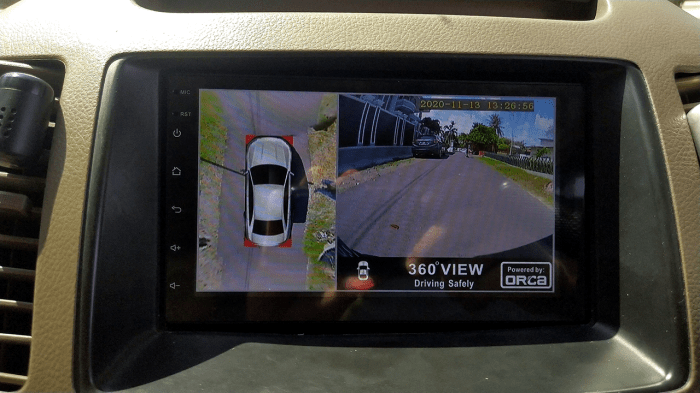
Source: otopart.id
Choosing the best 360 cameras can be tricky, requiring careful consideration of features and price. But even the most immersive 360° view can’t capture the wild swings of the crypto market, as highlighted by the recent FBI investigation into a massive fbi cryptocurrency pump and dump scheme. Back to cameras, though – remember to check reviews before you buy!
Choosing a 360 camera often involves a trade-off between capturing stunning immersive footage and the practical considerations of its physical build and ease of use. Durability and portability are crucial factors, especially if you plan on taking your camera on adventures beyond the comfort of your home. Let’s dive into what makes some 360 cameras more rugged and travel-friendly than others.
Physical Build Quality and Durability, Best 360 cameras
The physical robustness of a 360 camera directly impacts its longevity. Some models boast a rugged, shock-resistant design, making them ideal for outdoor activities like hiking or even extreme sports. Others, prioritizing a sleek and compact form factor, may be more susceptible to damage from drops or impacts. Materials used in construction play a significant role; cameras with reinforced plastic or metal housings generally offer better protection against accidental damage than those made primarily of lightweight plastic. Consider also the lens protection – some cameras incorporate recessed lenses or protective covers to minimize the risk of scratches and damage. The Insta360 One X2, for example, is known for its robust build and impressive shock resistance, while the Ricoh Theta Z1, with its more delicate design, might benefit from a protective case during outdoor excursions.
Battery Life and Extended Recording Sessions
Battery life is a critical aspect of 360 camera usability, especially for long shoots or events. A camera with a short battery life can severely limit your creative freedom and interrupt your workflow. The capacity of the internal battery, expressed in milliampere-hours (mAh), directly impacts recording time. Some cameras offer hot-swappable batteries, allowing you to replace depleted batteries without interrupting recording, a feature particularly useful for extended filming sessions. Others might rely on external power banks for longer durations. Knowing the battery life and charging time is crucial for planning your shooting schedule and avoiding unexpected power outages during critical moments. For instance, the GoPro Max boasts impressive battery life compared to some of its competitors, enabling longer continuous recording sessions.
Form Factors and Portability
The size, weight, and overall form factor significantly influence a 360 camera’s portability and ease of use. Compact cameras, such as the Insta360 GO 2, are incredibly easy to carry around, fitting comfortably in a pocket or bag. Larger cameras, while potentially offering superior image quality or features, can be less convenient for on-the-go shooting. The design also plays a role; some cameras feature ergonomic grips or mounts, enhancing handling and stability. Consider the intended use case – a compact camera is perfect for casual vlogging or everyday shooting, whereas a more substantial model might be better suited for professional applications where image quality and features outweigh portability.
Camera Specifications Comparison
| Model | Weight (g) | Dimensions (mm) | Water Resistance |
|---|---|---|---|
| Insta360 One X2 | 149 | 113 x 48 x 28 | IPX8 (up to 10m) |
| GoPro Max | 197 | 64 x 102 x 30 | IPX7 (up to 1m) |
| Ricoh Theta Z1 | 131 | 130 x 45 x 25 | None |
| Insta360 GO 2 | 27 | 22.9 x 22.9 x 20.8 | IPX8 (up to 4m) |
Applications and Use Cases: Best 360 Cameras
360 cameras are no longer just a niche gadget for tech enthusiasts. Their ability to capture immersive, all-encompassing views has unlocked a plethora of applications across diverse fields, revolutionizing how we document, experience, and interact with the world. From showcasing breathtaking landscapes to creating interactive virtual tours, their potential is truly expansive.
360 cameras offer a unique perspective that traditional cameras simply can’t match. This immersive viewpoint transforms how we consume media and interact with information, creating engaging and memorable experiences. The applications are as diverse as the industries that utilize them.
Professional Photography and Videography
The impact of 360 cameras on professional photography and videography is undeniable. Imagine capturing a stunning panoramic landscape, a bustling city street, or a captivating concert, all in a single shot. This technology allows photographers and videographers to create truly breathtaking content, offering viewers a completely immersive experience. For example, a wedding photographer could capture the entire ceremony and reception in a single 360° video, allowing guests who couldn’t attend to feel like they were there. Similarly, real estate photographers can create virtual tours that showcase properties in their entirety, from every angle, enhancing the buyer experience significantly. This technology is also used to create engaging promotional videos for travel agencies, showing potential customers the beauty of various destinations.
Applications in Various Industries
The versatility of 360 cameras extends far beyond the realm of creative professionals. In real estate, virtual tours allow potential buyers to explore properties remotely, saving time and resources for both buyers and agents. In the tourism industry, 360° videos provide immersive previews of destinations, attracting more visitors. Security companies utilize them to create comprehensive surveillance footage, offering a wider field of view than traditional cameras. Moreover, educational institutions use 360 cameras to create virtual field trips, bringing distant locations into the classroom. Museums and historical sites can offer virtual tours of their exhibits, allowing people worldwide to experience them remotely. Finally, architectural firms can use 360 cameras to document construction progress and share it with clients and stakeholders.
Virtual Tours and Immersive Experiences
The creation of virtual tours is perhaps the most impactful application of 360° technology. These tours allow users to explore locations remotely, experiencing them as if they were physically present. Imagine exploring the Amazon rainforest, the Great Wall of China, or even the inside of a spacecraft—all from the comfort of your own home. This technology is not only exciting for consumers but also invaluable for businesses, enabling them to offer unique and engaging experiences. Virtual tours are transforming industries like travel, real estate, education, and even healthcare, providing accessibility and enhancing user engagement in ways previously unimaginable.
Advantages and Disadvantages of Using 360 Cameras
The decision to utilize 360 cameras depends on the specific needs and context of the application. Weighing the advantages and disadvantages is crucial for making an informed choice.
- Advantages: Immersive viewing experience, comprehensive coverage, efficient documentation, cost-effective for certain applications (reducing the need for multiple cameras), ease of sharing content across platforms.
- Disadvantages: Higher processing requirements for stitching and editing, potential for distortion at the edges, limitations in low-light conditions, higher initial investment compared to traditional cameras, file sizes can be significantly larger than traditional video formats.
Price and Value for Money
Source: ngelag.com
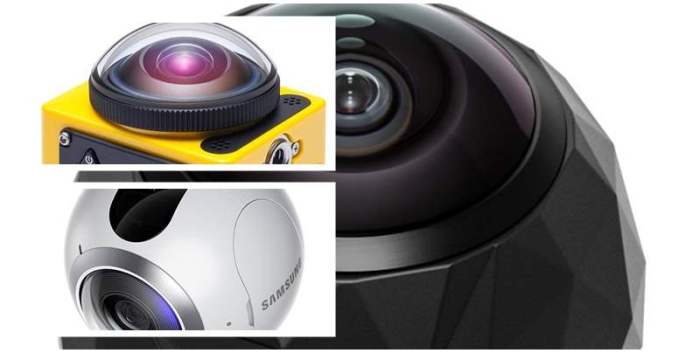
Choosing a 360 camera often comes down to balancing features with budget. The market offers a wide range of options, from budget-friendly models suitable for casual use to professional-grade cameras boasting cutting-edge technology. Understanding the price points and what you get for your money is crucial for making an informed decision. This section breaks down the pricing landscape and helps you determine the best value for your specific needs.
Several factors contribute to the price of a 360 camera. Sensor technology plays a significant role; higher-resolution sensors capable of capturing sharper, more detailed images and videos naturally command a higher price. Build quality also impacts cost; robust, durable cameras with weather sealing or shock resistance tend to be more expensive than their more fragile counterparts. Processing power, battery life, and the inclusion of advanced features like image stabilization or sophisticated stitching algorithms all influence the final price tag.
360 Camera Pricing Tiers and Features
The market for 360 cameras can be broadly categorized into three price tiers: budget, mid-range, and high-end. Each tier offers a different set of features and capabilities.
- Budget (<$300): Cameras in this range typically offer basic features, such as decent image quality at lower resolutions and simpler stitching algorithms. They may lack advanced features like high dynamic range (HDR) imaging or sophisticated stabilization. Expect limitations in low-light performance and video resolution. These cameras are ideal for casual users who want to experiment with 360° photography without a significant investment.
- Mid-range ($300-$800): Mid-range 360 cameras offer a significant step up in features and performance. Expect higher resolutions, improved low-light capabilities, more advanced stitching algorithms, and potentially features like HDR and better stabilization. These cameras often include better video capabilities, such as higher frame rates and resolutions. They’re suitable for enthusiasts and semi-professionals who demand better image quality and more versatile features.
- High-end (>$800): High-end 360 cameras are geared towards professionals and demanding users. They typically boast the highest resolutions, advanced image processing capabilities, robust build quality, and extensive software support. Expect features like professional-grade codecs, extensive manual controls, and superior low-light performance. These cameras are designed for professional applications requiring the highest level of image and video quality.
Comparative Analysis of 360 Camera Value
Comparing value requires considering the features offered relative to the price. A camera with a high price tag isn’t necessarily the best value if its features don’t justify the cost. For example, a mid-range camera with excellent image quality and a user-friendly app might offer better value than a high-end model with marginally better specs but a complex and less intuitive interface. Careful consideration of individual needs and priorities is crucial.
360 Camera Models: Price, Pros, and Cons
| Model | Approximate Price (USD) | Pros | Cons |
|---|---|---|---|
| Insta360 ONE X2 | $400 | Compact, excellent image stabilization, user-friendly app | Limited low-light performance compared to higher-end models |
| GoPro MAX | $500 | Robust build, excellent video capabilities, versatile features | Can be more expensive than competitors with similar features |
| RICOH THETA Z1 | $1000 | High-resolution images, excellent low-light performance, professional-grade features | Steeper learning curve, more expensive than other options |
Last Point
Source: digitek.id
So, there you have it – your comprehensive guide to navigating the exciting world of best 360 cameras. From choosing the right features to mastering the editing process, we’ve covered the essentials to help you capture truly immersive content. Remember, the best camera for you depends on your individual needs and budget. But armed with this knowledge, you’re ready to take your photography and videography to the next level. Now go forth and capture the world, one 360° frame at a time!