Apps to help people with disabilities travel are revolutionizing how we explore the world. No longer are accessible travel options limited; a whole new world of independence and adventure is opening up thanks to innovative technology. These apps aren’t just about finding accessible accommodations; they’re about breaking down barriers and empowering individuals to experience the joy of travel on their own terms. From navigating unfamiliar streets to booking accessible flights, these digital tools are changing the game for disabled travelers everywhere.
This article dives deep into the diverse range of apps designed to make travel more accessible, examining their features, comparing their functionalities, and highlighting the impact they have on the lives of people with disabilities. We’ll explore everything from navigation and booking apps to communication tools and emergency assistance services, painting a comprehensive picture of how technology is fostering inclusivity in the travel industry.
Types of Travel Apps for People with Disabilities
Navigating the world, especially for those with disabilities, can present unique challenges. Fortunately, technology is stepping up to help, offering a range of apps designed to make travel more accessible and enjoyable. These apps cater to diverse needs, transforming potential obstacles into manageable hurdles. This exploration delves into the different types of travel apps available, highlighting their features and benefits.
Categories of Travel Apps for Accessibility
Several categories of apps significantly improve the travel experience for people with disabilities. These apps address specific needs, from finding accessible transportation to locating disability-friendly accommodations. Understanding these categories is crucial for choosing the right tools to enhance your journey.
- Accessibility Information Apps: These apps provide crucial information about the accessibility of various locations, including transportation hubs, attractions, and accommodations. They often feature user-submitted reviews and ratings, offering firsthand accounts of accessibility features and potential challenges.
- Transportation Apps: These apps help users find and book accessible transportation options, such as wheelchair-accessible taxis, ride-sharing services with wheelchair-accessible vehicles, and public transportation routes with step-free access. Many integrate real-time tracking and scheduling features.
- Accommodation Booking Apps: These apps specialize in finding and booking accommodations with accessibility features, such as wheelchair ramps, accessible bathrooms, and adapted rooms. They often allow users to filter search results based on specific accessibility needs.
- Navigation and Wayfinding Apps: These apps provide step-by-step navigation with accessibility features, such as avoiding stairs and highlighting accessible routes. Some apps also offer audio cues and other assistive technologies to enhance navigation for visually impaired users.
- Communication and Support Apps: These apps facilitate communication with service providers and support networks during travel. They may include features for translating languages, contacting emergency services, and connecting with local disability support organizations.
Features Addressing Accessibility Needs
Effective accessibility apps go beyond simple information provision. They incorporate features specifically designed to address the unique needs of travelers with disabilities. These features significantly enhance usability and convenience. For example, clear, concise language, large fonts, high contrast modes, and screen reader compatibility are crucial for visually impaired users. Similarly, apps should offer robust audio descriptions and haptic feedback. For users with mobility impairments, features like voice control, one-handed operation, and intuitive navigation are essential.
Comparison of Transportation Apps
Focusing on transportation apps, three prominent examples demonstrate the range of functionalities available. Each app addresses accessibility needs differently, catering to varying preferences and requirements.
| App Name | Key Features | Pricing Model | Platforms |
|---|---|---|---|
| Wheelchair Getaways | Focuses on wheelchair-accessible transportation options, including taxi and ride-sharing services. Provides detailed information on vehicle specifications and driver qualifications. Offers user reviews and ratings. | Subscription-based | iOS and Android |
| Accessible Rides | Connects users with drivers who have vehicles specifically adapted for wheelchair users. Offers real-time tracking and scheduling features. | Per-ride fee | iOS and Android |
| Citymapper (with accessibility filters) | While not solely focused on accessibility, Citymapper allows users to filter transportation options based on accessibility features, such as step-free access and wheelchair ramps. | Free (with optional premium features) | iOS and Android |
Comparison of Five Travel Apps
The following table provides a broader comparison of five diverse travel apps, showcasing their features, pricing, and platform availability. This illustrates the diverse options available to meet different travel needs and preferences.
| App Name | Key Features | Pricing Model | Platforms |
|---|---|---|---|
| AccessibleGo | Provides accessibility information for various locations, including restaurants, hotels, and attractions. Includes user reviews and ratings. | Free | iOS and Android |
| Wheelchair Getaways | Focuses on wheelchair-accessible transportation options. Provides detailed information on vehicle specifications and driver qualifications. | Subscription-based | iOS and Android |
| Accessible Accommodation Finder | Specializes in finding and booking accommodations with accessibility features. Allows users to filter search results based on specific needs. | Free (with booking fees) | iOS and Android |
| BlindSquare | Provides GPS navigation for visually impaired users, with audio cues and other assistive technologies. | Paid | iOS |
| Google Maps (with accessibility filters) | Offers general navigation features, including accessibility filters for transportation and locations. | Free | iOS and Android |
Accessibility Features in Navigation Apps

Source: thestreet.com
Navigating unfamiliar environments can be challenging for anyone, but for people with disabilities, it can present significant hurdles. Fortunately, advancements in technology have led to the development of navigation apps with robust accessibility features, making travel more independent and enjoyable for a wider range of users. These features go beyond simply providing directions; they transform the way individuals interact with their surroundings and experience the world.
Accessibility features in navigation apps are crucial for ensuring inclusive and equitable travel experiences. These features are not just add-ons; they’re fundamental elements that transform how people with disabilities plan and execute their journeys. The focus is on creating a user experience that’s intuitive, reliable, and empowering.
Navigation Features for Visually Impaired Travelers
Screen readers are essential for visually impaired users. These apps must seamlessly integrate with screen readers like VoiceOver (iOS) and TalkBack (Android), providing clear and concise audio descriptions of maps, routes, and points of interest. This includes accurately announcing street names, landmarks, and upcoming turns, using consistent and predictable language. Furthermore, the app should offer granular control over the level of detail provided by the screen reader, allowing users to customize the information based on their preferences and the complexity of the navigation task. For example, a user might choose to hear only major intersections and points of interest, rather than every single street name along the route. Additionally, support for braille displays should be included for those who prefer tactile feedback.
Audio Descriptions and Haptic Feedback Enhance User Experience
Audio descriptions are not just about reading out text; they paint a sonic picture of the environment. A well-designed app will use varied tones and inflections to distinguish between different types of information, making it easy for users to understand the context. For instance, a sharp, distinct tone might indicate an upcoming turn, while a softer tone could signal a point of interest nearby. Haptic feedback, through vibrations, provides another layer of sensory information. A gentle vibration could signify the approach of a turn, while a stronger vibration might alert the user to a potential obstacle ahead. This multi-sensory approach caters to diverse learning styles and preferences, making navigation more intuitive and reliable.
Real-Time Updates and Offline Functionality for Accessible Navigation, Apps to help people with disabilities travel
Real-time updates are critical for ensuring the accuracy of navigation, especially in dynamic environments. Traffic conditions, construction detours, and unexpected closures can significantly impact travel time and safety. The app must continuously receive and process updates to ensure the route remains optimal and avoids disruptions. Equally important is offline functionality. Not all areas have reliable internet connectivity, so the ability to download maps and plan routes offline is essential for independent travel. This ensures that users can navigate even in areas with limited or no cellular service.
Wheelchair User Navigation App Feature Mockup
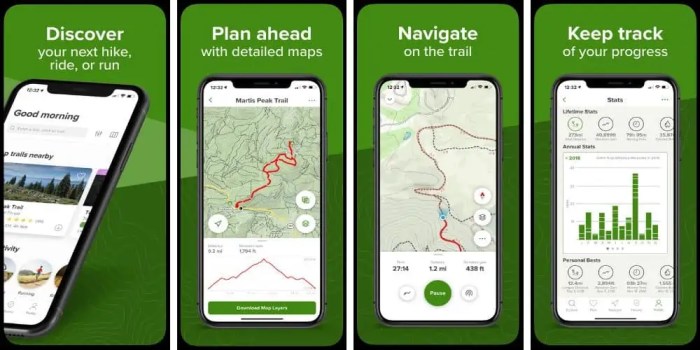
Imagine a navigation app feature specifically designed for wheelchair users. The main screen displays a map with a clearly marked wheelchair-accessible route highlighted in a vibrant blue. Points of interest along the route, such as accessible entrances, ramps, and restrooms, are denoted by custom icons – a wheelchair symbol overlaid on a building icon for accessible entrances, for example. As the user navigates, the app provides audio cues such as “Approaching ramp in 50 meters,” or “Accessible entrance on your right.” The app also integrates with real-time data from city accessibility databases to provide up-to-date information on the accessibility of public transit, ensuring accurate and reliable navigation. The app’s interface is clean and uncluttered, minimizing cognitive load and maximizing ease of use. The font size is adjustable, and high contrast color schemes are available to suit different visual needs.
Booking and Accommodation Apps for Accessible Travel
Finding the perfect getaway shouldn’t be a struggle, especially for travelers with disabilities. Accessible travel requires meticulous planning, and booking platforms play a crucial role in making this process smoother. Unfortunately, many current systems fall short, leaving disabled travelers with a frustrating search for truly accessible options. Let’s explore how booking apps can improve and what features are essential for inclusive travel.
Improvements to Accessibility Information on Accommodation Booking Platforms
Accommodation booking platforms often lack detailed and reliable accessibility information. This makes it difficult for travelers with disabilities to determine if a property truly meets their needs. Improvements should focus on providing verified and standardized information, going beyond simple checkboxes. Imagine a system where users could upload photos of accessible features, verified by the property, creating a visual library of accessibility details. Detailed descriptions of room features, like the width of doorways, the height of toilets, and the availability of grab bars, should be commonplace, along with clear explanations of accessible routes within the property and to nearby amenities. Reviews from other disabled travelers could also be prominently featured, offering valuable firsthand experiences. For example, instead of a simple “wheelchair accessible” checkbox, a detailed description could include: “Ground floor access, ramp to entrance, 36-inch wide doorways, roll-in shower with grab bars, and accessible parking within 50 feet.” This level of detail empowers users to make informed decisions.
Features of Accessible Hotel Booking Apps
A truly accessible hotel booking app should go beyond basic search filters. It needs to offer a robust and intuitive interface.
- Detailed Accessibility Filters: Beyond basic “wheelchair accessible,” options should include filters for specific needs, such as visual impairment features (e.g., large print materials, braille menus), hearing impairment features (e.g., visual alert systems, TTY phones), mobility aids (e.g., ramp access, elevator availability, accessible bathrooms), and other specific needs (e.g., service animal policies, allergy-friendly rooms).
- Visual Confirmation of Accessibility: High-quality images and videos showcasing accessible features, ideally provided by the property, are crucial. These should not be generic stock photos but actual depictions of the accessible spaces within the accommodation.
- Interactive Maps and Floor Plans: Interactive maps and floor plans highlighting accessible routes, including elevators, ramps, and accessible rooms, are vital for planning and navigation.
- User Reviews with Accessibility Focus: Prominent display of reviews specifically mentioning accessibility features and experiences from other disabled travelers would build trust and provide valuable insight.
- Direct Contact with Property: An easy and accessible way to contact the property directly to ask specific accessibility questions before booking is essential.
- Multi-Modal Accessibility: The app should be compatible with screen readers and other assistive technologies, ensuring usability for individuals with visual or cognitive impairments.
Challenges Faced by Wheelchair Users Booking Flights and Accommodations
Wheelchair users face numerous challenges when booking travel online. Often, critical information regarding wheelchair assistance, accessible seating, and the dimensions of aircraft lavatories is buried deep within the booking process, if available at all. Many platforms lack clear communication channels for requesting specialized assistance, leading to uncertainty and potential disruptions during travel. Furthermore, inconsistencies in accessibility standards between airlines and accommodations make it difficult to ensure a seamless journey. For instance, a wheelchair user might find an accessible hotel room but then discover that the airport transfer service is not equipped to handle their wheelchair type, causing significant delays and inconvenience. Inconsistent terminology used to describe accessibility features across different platforms adds further complexity, making it difficult to compare options and find truly accessible choices.
Step-by-Step Guide to Using an Accessible Accommodation Booking App
Effectively using an accessible accommodation booking app requires a strategic approach.
- Specify Accessibility Needs: Begin by clearly stating your accessibility requirements using the app’s detailed filters. Don’t rely on generic options; be specific about your needs.
- Utilize Advanced Search Filters: Explore all available filters, including those related to room features, accessibility features, and property amenities. Look for options like “roll-in shower,” “accessible parking,” “visual alerts,” or “sign language interpreter available.”
- Review Property Details Carefully: Don’t just rely on the filters. Carefully review each property’s detailed description, images, and user reviews, paying close attention to accessibility-related information.
- Verify Accessibility with the Property: Before booking, contact the property directly to confirm accessibility features and ask any remaining questions you might have.
- Read User Reviews: Pay close attention to reviews from other disabled travelers. Their firsthand experiences offer invaluable insights.
- Compare Options: Compare several properties based on accessibility features, price, and location before making a final decision.
Transportation Apps and Accessibility
Navigating the world, especially for individuals with disabilities, often hinges on accessible and reliable transportation options. While ride-sharing and public transportation apps offer convenience, their accessibility features vary widely, creating significant barriers for many. Improving these apps is crucial for fostering inclusivity and ensuring equal access to mobility for everyone.
Ride-Sharing App Improvements for People with Disabilities
Ride-sharing apps can be significantly enhanced to better serve individuals with disabilities. Currently, many lack crucial features that cater to diverse needs. For example, providing options to specify accessibility requirements during booking—like wheelchair accessibility, assistance with luggage, or the need for a vehicle with ramps—is paramount. Implementing a rating system for drivers based on their accessibility accommodations and responsiveness to user needs would also increase accountability and transparency. Furthermore, clear communication features, such as the ability to directly message drivers about accessibility needs before the ride, can reduce uncertainty and potential delays. Finally, integrating real-time accessibility information about the vehicle, such as the presence of a wheelchair ramp or the width of the doorway, would allow users to make informed choices.
Design Considerations for Accessible Public Transportation Apps for Visually Impaired Individuals
Designing public transportation apps for visually impaired users requires careful consideration of screen reader compatibility and intuitive navigation. Apps should adhere to WCAG (Web Content Accessibility Guidelines) standards, ensuring that all information is accessible through screen readers. This includes clear and concise labeling of buttons, menus, and other interactive elements. Furthermore, the app should utilize robust voice-over features that accurately describe maps, schedules, and real-time transit information. Haptic feedback can enhance the user experience by providing tactile cues during navigation. For example, a user could receive a vibration when approaching their stop or when selecting a particular option on the screen. Simple, consistent navigation is crucial, avoiding complex menus or gestures that are difficult to interpret through touch alone. The use of distinct audio cues for different types of information, such as arrival times or route changes, is another important element of effective design.
Accessibility Feature Comparison of Ride-Sharing Apps
Let’s compare the accessibility features of three popular ride-sharing apps: Uber, Lyft, and Via. Uber allows users to request wheelchair-accessible vehicles, but the availability of these vehicles can be inconsistent. Lyft also offers a similar feature, but their implementation of accessibility options is equally variable across different locations. Via, known for its focus on shared rides, has shown less explicit attention to detailed accessibility features compared to Uber and Lyft, though their overall user interface might be considered simpler to navigate. While all three apps allow users to communicate with drivers, the effectiveness of this communication in addressing accessibility needs can differ greatly based on individual driver awareness and responsiveness. A standardized, reliable system for reporting accessibility-related issues and driver performance is missing across all three platforms.
Best Practices for Inclusive Transportation App Development
To ensure inclusivity, transportation app developers should prioritize several best practices.
- Universal Design Principles: Incorporate universal design principles from the outset, creating apps that are usable by people with a wide range of abilities without requiring adaptation or specialized design.
- WCAG Compliance: Adhere strictly to WCAG guidelines to ensure compatibility with assistive technologies like screen readers and voice-over software.
- User Testing with Diverse Participants: Conduct thorough user testing with individuals representing a broad spectrum of disabilities to identify and address usability issues.
- Clear and Concise Information: Use clear, concise language and avoid jargon. Provide alternative text for images and other non-text content.
- Customizable Settings: Offer customizable settings to allow users to adjust font sizes, colors, and other visual elements to suit their individual needs.
- Robust Feedback Mechanisms: Implement effective feedback mechanisms to allow users to report accessibility issues and provide suggestions for improvement.
- Real-time Accessibility Information: Provide real-time information about the accessibility of vehicles and transportation options.
- Driver Training and Support: Provide comprehensive training and support to drivers regarding the needs of passengers with disabilities.
Communication and Support Apps for Travelers with Disabilities
Source: cruiseradio.net
Planning a trip with accessibility needs? Several awesome apps can make it happen, smoothing the way for a truly unforgettable adventure. After a long day exploring, though, you’ll want some downtime, and that’s where checking out the best Apple TV Plus movies comes in – perfect for relaxing after a day of navigating accessible travel options. These apps and a great movie night?
The ultimate travel combo for everyone.
Navigating the world, even without disabilities, can present communication challenges. For travelers with disabilities, these challenges can be amplified, impacting safety, comfort, and the overall travel experience. Fortunately, a range of communication and support apps are emerging to bridge these gaps, empowering individuals to travel more independently and confidently. These apps offer features tailored to specific needs, from real-time translation to emergency assistance.
Communication Apps for Travelers with Disabilities
Several apps significantly enhance communication for travelers with disabilities. Effective communication is crucial for smooth travel, especially when dealing with unexpected situations or language barriers. The right app can be a lifeline, enabling travelers to express their needs and receive necessary assistance.
- Proloquo2Go: This app is a powerful augmentative and alternative communication (AAC) system. It allows users to create custom communication boards with pictures, words, and phrases, enabling individuals with speech impairments to communicate effectively with others. Its intuitive interface and customizable features make it adaptable to various communication needs and preferences. For example, a user could pre-program phrases like “I need assistance with my wheelchair” or “I require a gluten-free meal.”
- Google Translate: While not exclusively designed for people with disabilities, Google Translate’s real-time translation capabilities are invaluable for travelers with hearing impairments or speech difficulties. The app offers text-to-speech and speech-to-text features, facilitating communication even when language barriers exist. This allows for clearer interactions with locals, staff, or other travelers. Imagine a deaf traveler using the app to communicate with a taxi driver regarding their destination.
- WhatsApp: This popular messaging app offers a variety of features beneficial to travelers with disabilities. Its text-based communication is ideal for individuals with hearing impairments. The ability to send photos and voice notes also enhances communication possibilities, providing alternative ways to express needs or ask for help. For instance, a traveler might send a picture of their boarding pass to a support person to confirm their flight details.
Translation Apps and Hearing Impairments
Translation apps significantly improve the travel experience for individuals with hearing impairments by bridging language barriers. These apps not only translate text but also offer speech-to-text and text-to-speech functionalities. This allows individuals to communicate with people who do not understand sign language or other forms of non-verbal communication. For example, a deaf traveler could use a translation app to communicate their dietary restrictions to restaurant staff, ensuring they receive an appropriate meal. The ability to easily translate menus, signs, and other written materials further enhances accessibility.
Emergency Assistance Apps and Traveler Safety
Emergency assistance apps provide a crucial safety net for travelers with disabilities. These apps often feature GPS tracking, emergency contact lists, and one-touch alert systems that can summon help in urgent situations. This added layer of security offers peace of mind and can be particularly vital in unfamiliar environments. A traveler with a mobility impairment, for instance, could use such an app to alert emergency services if they experience a fall or equipment malfunction. Some apps even integrate with local emergency services, ensuring prompt and accurate response.
A Support App for Wheelchair Users Navigating Airports
Imagine an app called “WheelchairWay,” designed to assist wheelchair users navigating airports. The app’s interface features a clean, intuitive design with large, easily tappable buttons. Upon opening, users select their airport and terminal. A real-time map displays the user’s location, highlighting accessible routes, restroom locations, and the locations of assistance desks. The app provides step-by-step directions, factoring in elevator and ramp availability. Users can also request assistance directly through the app, notifying airport staff of their location and needs. The app integrates with the airport’s internal systems to track staff availability and response times. Real-time updates and estimated wait times are provided, keeping the user informed every step of the way. The app also stores relevant personal information (such as emergency contacts and medical conditions) for easy access by airport staff in case of an emergency.
Illustrative Examples of Accessible Travel Apps
Source: mobilityroadsideassistance.com
Choosing the right app can significantly enhance the travel experience for individuals with disabilities. The app market offers a range of options, each with unique features catering to specific needs. Let’s delve into three examples that demonstrate how technology is breaking down barriers to accessible travel.
Accessible Travel Apps: A Detailed Look at Three Examples
This section provides detailed descriptions of three different accessible travel apps, highlighting their key features, target user groups, user reviews, and how they overcome accessibility challenges.
Wheelchair Getaways
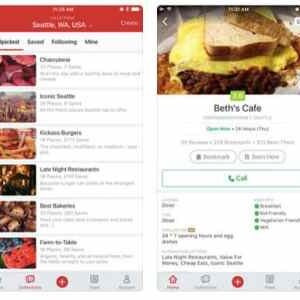
Wheelchair Getaways is specifically designed for wheelchair users and individuals with mobility impairments. The app focuses on providing detailed accessibility information for various locations, including restaurants, hotels, and attractions. Users can search for places based on specific accessibility needs, such as wheelchair ramps, accessible restrooms, and appropriate parking. The app includes user-submitted reviews and photos, offering firsthand accounts of accessibility features. Many users praise the app for its comprehensive database and the ability to filter search results based on detailed accessibility criteria. Commonly cited issues include occasional outdated information and a limited geographical coverage in certain regions. Wheelchair Getaways effectively addresses the common barrier of finding reliable information about accessibility by centralizing user-submitted reviews and detailed location information. The user experience is straightforward and intuitive, prioritizing ease of navigation and clear presentation of data.
BlindSquare
BlindSquare is a navigation app tailored for visually impaired travelers. Utilizing GPS technology and audio cues, it guides users to their destinations safely and efficiently. Features include point-of-interest identification, street-level navigation, and the ability to detect nearby obstacles. User reviews consistently highlight the app’s reliability and accuracy in navigating complex environments. However, some users have reported occasional glitches with indoor navigation and a need for improved integration with public transportation schedules. BlindSquare directly overcomes the challenge of independent navigation for visually impaired individuals by providing a comprehensive and reliable audio-based navigation system. The app prioritizes a clear and concise audio interface, making it user-friendly and intuitive for its target audience.
TripIt Pro
While not exclusively designed for travelers with disabilities, TripIt Pro offers several accessibility features that benefit a wide range of users, including those with cognitive or physical impairments. The app consolidates all travel itineraries into a single, easily accessible view. This feature simplifies trip planning and reduces the cognitive load, particularly beneficial for individuals with cognitive impairments. TripIt Pro also offers real-time flight and transportation updates, crucial for managing unexpected delays or disruptions, which can be especially stressful for travelers with disabilities. User reviews frequently praise the app’s organization and ease of use. Some users suggest improvements in accessibility features, such as increased font size options and improved screen reader compatibility. TripIt Pro indirectly enhances accessibility by simplifying trip management, reducing the stress associated with unexpected changes, and providing a clear, organized overview of travel plans. The clean interface and straightforward design contribute to a positive user experience for a diverse range of users.
Ending Remarks: Apps To Help People With Disabilities Travel
The rise of apps designed for accessible travel marks a significant step towards a more inclusive and equitable world. These apps aren’t just convenient tools; they’re powerful agents of change, empowering individuals with disabilities to explore, connect, and experience the world with newfound freedom and confidence. As technology continues to evolve, we can expect even more innovative solutions to emerge, further breaking down barriers and making travel accessible to everyone. The journey towards universal accessibility is ongoing, and these apps are leading the way.